



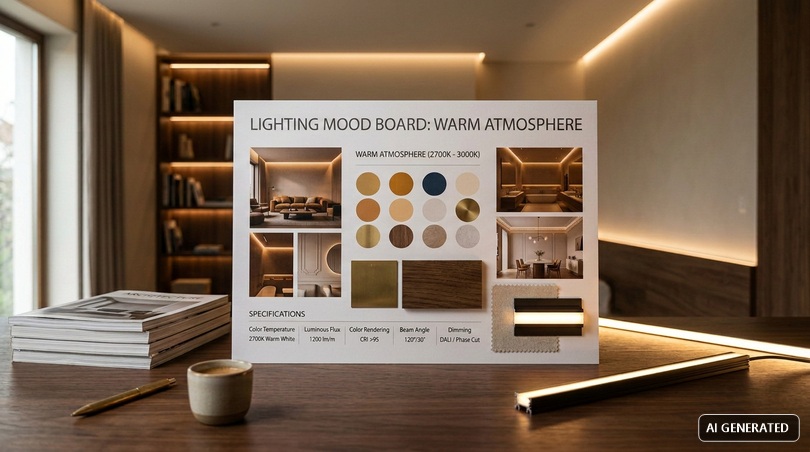
If you are an interior designer, a graphic designer, a marketing manager, a photographer, or a fashion entrepreneur, in this article you will find not only the most requested mood board examples in 2026, but also the step-by-step technical guide to transform every inspiration board into a real, replicable, and app-controllable lighting system. The starting point is clear: a mood board is not decoration, it is a design tool.
In this article...
1. Mood board: meaning, translation, and why create it with light
Before getting to the heart of the 12 atmospheres, it is necessary to clarify the definitions. The word mood board appears everywhere, from interior design magazines to marketing briefs, but its meaning often remains confused. A mood board (or moodboard) is literally a "mood board": a visual collage that collects images, textures, colors, keywords, and materials with the aim of communicating an atmosphere, a concept, or a style.
The translation of mood board could be "inspiration board" or "theme board", although in professional jargon the English term is preferred. The meaning of mood board, therefore, operates on two levels: on the one hand, it is a visual communication tool between the creative and the client; on the other, it is a cognitive device that helps the designer to capture an intuition before translating it into operational choices.
What does mood board mean in practical design
When a client asks for "a cozy living room", the word cozy can mean a hundred different things. A mood board transforms the adjective into concrete images: a forest green velvet sofa, a palette of earth tones, a brushed brass floor lamp, and a warm 2700K light with a CRI above 90, distributed indirectly along the perimeter of the ceiling. Without the lighting dimension, an interior design mood board remains incomplete, because light is what makes every other element visible.
This is why today we want to talk about light mood board: a specialization of the traditional mood board where each atmosphere is described not only by style but by measurable photometric parameters. A light mood board (or mood board light) always includes: color temperature in kelvin, Color Rendering Index (CRI), luminous flux in lumens, beam angle, dimming modes, and preset scenes. It is the level of detail that separates inspiration from design.
2. What is a mood board for and who creates it
Asking what a mood board is for is equivalent to asking what a visual brief is for before starting a project: it serves to reduce ambiguity, align expectations between the client and the designer, and set the aesthetic boundaries within which to move. A well-built mood board reduces project revision times by 30–40%, because it eliminates at the root misunderstandings that would only emerge at an advanced stage of the work.
In the field of architectural lighting, where a change of choice during the work can involve replacing kilometers of LED strips or redoing plasterboard coves, this preventive function becomes decisive. The light mood board is the cheapest way to avoid costly mistakes.
Who creates mood boards?
Mood boards are created by very different figures:
- Interior designers and architects: use them to present the concept of a renovation to clients, including materials, colors, furnishings, and lighting scenes.
- Graphic designers: use them to define the visual system of a brand before moving on to logo, packaging, and communication design.
- Marketing managers: adopt them to align the creative team on campaigns, integrating branding elements and market trends.
- Professional photographers: build them in the pre-production phase to define the style, setting, palette, and light quality of a shoot.
- Entrepreneurs and fashion stylists: use them to build seasonal collections starting from a coherent vision of fabrics, colors, and suggestions.
- Lighting designers: an increasingly requested figure, who translates other mood boards into photometric language.
Objectives and uses of the mood board in different contexts
The purposes of the mood board vary greatly depending on the sector. In interior design mood boards, it serves to define the atmosphere of a domestic or commercial environment; in fashion, it serves to build the identity of a collection; in advertising, it serves to set the tone of a campaign; and in cinema, it serves to communicate the emotional palette of a scene to the director of photography. The common thread is always the same: making visible what does not yet exist, so that all project collaborators can work on the same mental image.
3. Constituent elements of a light mood board
A generic mood board typically contains reference images, color palettes, textures, fonts, and keywords. A light mood board adds to these elements a series of technical parameters that make it a true design document. Let's look in detail at what to put in a mood board when the goal is lighting design.
Reference images
They are the emotional starting point of the board. They must be selected not only for aesthetics but for the quality of the light represented: a photo of an interior taken in natural midday light tells a completely different atmosphere compared to the same room photographed at sunset with warm artificial light. For each image, on the Ledpoint light mood board, we note the estimated color temperature and the orientation of the main beam.
Color palette and color temperature
The palette is the second element. In an LED mood board, the lighting palette always accompanies the materials palette: 2200K (candlelight), 2700K (warm cozy light), 3000K (standard warm light), 4000K (neutral light), 5000–6500K (cool daylight). On RGBW LED strips, the RGB scene values are also added: for example, R220 G80 B40 for a Mediterranean sunset atmosphere.
Textures and materials
Polished marble, brushed wood, textured plaster, natural fabrics: every surface reacts differently to light. Grazing light on textured plaster enhances the grain; the same light on polished marble generates unwanted reflections. The mood board must document the relationship between light and material, because that is where much of the final perception is played out.
Keywords
Even if they seem more graphic elements, fonts and keywords help to fix the "tone of voice" of the project. Words like "diffused", "sculpted", "vibrant", "drammatic" guide the choice of Ledpoint LED profiles: a recessed profile like the PR-DW from the LightingLine series produces sculpted light, while a double-emission wall solution generates a diffused effect.
Technical light parameters
This is the section that differentiates a light mood board from a traditional interior design mood board. For each atmosphere, the following must be indicated:
- Color Temperature (CCT) in kelvin
- Color Rendering Index (CRI Ra), ideally >90, optimal >97
- R9: rendering of saturated red (important for skin, wood, and fabrics)
- Luminous flux per meter of strip (lm/m)
- Absorbed power in W/m
- LED density (LED/m): for uniform atmospheres, COB with 480–600 LED/m is needed
- IP protection degree: IP20 for dry indoors, IP65 for bathrooms and outdoors, IP67/68 for outdoors or immersion
- Dimming curve: linear or logarithmic
- Control type: PWM, 0-10V, DALI, DMX, wireless

4. Types of mood boards: physical, digital, inspirational, project-based
There are different types of mood boards, each with specific characteristics and contexts of use. Understanding them is the first step to choosing the right format.
Physical mood board
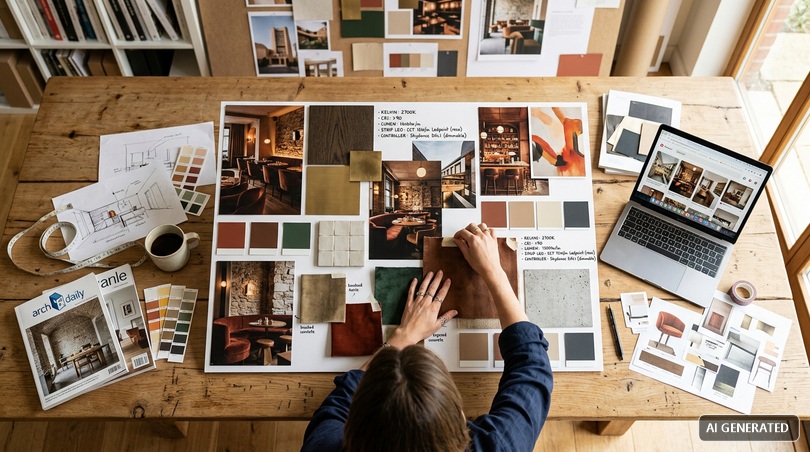
It is the traditional version: a cardboard board with printed images, fabric samples, fragments of materials, color swatches, small objects. The advantage of the physical mood board is the possibility of touching the materials and perceiving the textures directly. In architecture and interior design studios, it remains a valuable tool in the final presentation phase to the client, especially when combining real samples of wood, marble, fabric, and Ledpoint LED profiles.
Digital mood board
It is the contemporary version, built with software like Canva, Milanote, Adobe Creative Cloud, Pinterest, Figma. The digital mood board is the most widespread format today because it is easily shareable, editable in real-time, and integrable with links to product sheets and configurators. On Pinterest interior design there are millions of boards that effectively function as collaborative mood boards.
Inspirational mood board
It is created to define a general atmosphere, without yet entering into product details. It is the freest phase, where suggestions are collected from heterogeneous sources: art, cinema, nature, architecture, photography. The inspirational mood board is the raw material of the creative process.
Project mood board
It is the subsequent phase: the inspirational mood board is translated into concrete operational choices, with references to specific products, color codes, finishes, and technical data sheets. In an LED mood board, each atmosphere is associated with a product code, a precise color temperature, and a memorable scene on a controller.
5. How to create a mood board: step-by-step guide
Let's now tackle the most requested question: how to create a mood board? The short answer: start from a clear brief, collect references, organize the material into a coherent composition, add technical parameters, and validate with the client. Let's see the steps in detail.
Define the objective
Before opening Canva or Photoshop, you need to write in a few lines what atmosphere you want to tell, for whom, and in which environment. A mood board without a clear objective becomes a random collection of beautiful images that communicate nothing. It is therefore important to ask yourself: what emotion do I want to evoke? What time of day am I telling? What function does the space have?
Collection of materials
You collect images, palettes, textures, fonts, objects. Useful sources are Pinterest, Instagram, Behance, architectural photo archives like ArchDaily, but also your own shots or product photos. The golden rule: better a few strong elements than many weak ones. A crowded mood board confuses, an essential mood board convinces.
Composition and visual hierarchy
You organize the elements following a hierarchy: a dominant central image, some supporting elements, palette and textures as background elements. The eye must immediately find the focal point and then move effortlessly among the other elements. On Canva or Photoshop, you work with 3 or 4 column grids; in the physical mood board, you use the golden ratio / rule of thirds principle.
Addition of lighting parameters
This is the distinctive phase of the light mood board. Next to each image, note the perceived color temperature, intensity, and beam direction. If the mood board is digital, attach the technical data sheets of the Ledpoint LED strips you would use to replicate that atmosphere. For static atmospheres, a single CCT strip is enough; for multiple scenarios, an adjustable CCT or RGBW strip connected to a Skydance controller is needed.
Validation with the client
The mood board is not a self-referential exercise: it must be validated. Present the board in a maximum of 10–15 minutes, leave room for questions, take notes, iterate. Often the client doesn't have the words to say what they prefer, but by pointing to a detail in the image ("this light yes, but warmer") they provide invaluable information.
Best practices for an effective mood board
The practical rules for creating a beautiful mood board are several, let's see which ones.
- Chromatic coherence: all images must dialogue with each other in terms of palette.
- One single strong idea: the board communicates one concept, not five.
- Recognizable materiality: real samples or high-resolution photos that show the grain.
- Balance between inspiration and concreteness: evocative photos but also product images.
- Readable technical annotations: kelvin, CRI, lumens, always next to the reference image.
Software and apps for mood boards: Canva, Milanote, Photoshop, and Pinterest
The question about what program to use to make a mood board is one of the most frequent. There is no single answer: it depends on the level of detail required, the budget, and technical skills. Let's look at the main options, including online mood board solutions and the most used mood board apps.
| Tool | Type | Strengths | Limits | Cost |
|---|---|---|---|---|
| Canva | Web + app | Easy, ready templates, immediate sharing | Little graphic depth | Free / Pro |
| Milanote | Web + app | Designed for creatives, great for collaborative mood boards | Initial learning curve | Free / Pro |
| Adobe Photoshop | Desktop | Total control, professional quality | Requires skills | Subscription |
| Adobe Illustrator / InDesign | Desktop | Vector layouts, professional printing | Steep curve | Subscription |
| Web + app | Thematic boards, large image database | Not a real editor | Free | |
| Figma / FigJam | Web | Real-time collaboration | More oriented towards digital design | Free / Pro |
| Morpholio board | iPad app | Designed for interior designers | iOS only | Paid |
How to create a mood board with Canva
Canva is today the most widespread choice for those looking for a quick online mood board. The procedure to make a mood board with Canva is simple: open a new project in A3 or square format, drag images from the library or uploaded by the user, add texts, color palettes, and geometric shapes. Canva offers specific templates for "moodboard design", "moodboard interior", and "moodboard fashion", but the advice is to start from a blank sheet to avoid a standardized result.
How to create a mood board with Photoshop
Photoshop offers maximum control. To create a mood board with Photoshop, you work on a 300 dpi document, A3 horizontal format, with layers organized by category (images, palette, text, technical annotations). Clipping masks allow you to insert images into geometric shapes, while adjustment layers allow you to uniform the chromatic dominants of images coming from different sources.
Pinterest as an inspiration engine
Mood board Pinterest and Pinterest interior design have become synonyms in common language. Pinterest is not a mood board editor, but it is the richest visual database in the world for building the collection phase. The optimal flow is: search and save on Pinterest, export the images, final composition on Canva, Milanote, or Photoshop.
Specific software for interior design
For those looking for dedicated software, there are solutions like Morpholio Board, SampleBoard, DesignFiles, and Mydoma Studio. They are paid mood board software but offer integrated libraries with thousands of products, Pantone color codes, and technical data sheets. For the lighting sector, however, they remain incomplete tools, because they rarely integrate the photometric dimension.
The Ledpoint ecosystem for the light mood board
To create a light mood board that is truly effective and capable of evoking the 12 atmospheres featured in the article, it is not enough to choose just any light. An integrated ecosystem is necessary where the quality of the source, the shape of the profile, and the intelligence of the control work in synergy to transform an environment. Let's see the four Ledpoint technological pillars that translate design theory into replicable visual emotions.
The source: Ledpoint LED strips for every nuance
The heart of every atmosphere lies in the ability of the LED strip to reproduce the desired colors and intensities. The Ledpoint series cover every design need, from minimal light to dynamic chromatic explosion.
Uniformity and continuity with COB technology
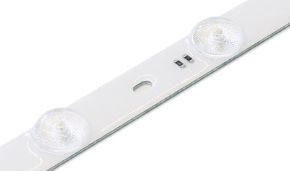
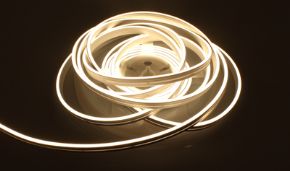
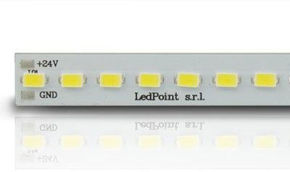
For minimalist atmospheres or sharp light cuts, COB (Chip On Board) technology is essential. Thanks to the high density of LEDs (up to 480–600 LED/m), it eliminates the "dotted" effect, creating a fluid and impeccable line of light. A Ledpoint COB strip with 480 LED/m produces perfectly homogeneous illumination along the entire profile, indispensable for ceiling coves and visible architectural cuts.
Chromatic fidelity CRI >90 / >97
The Sunlike series or models with CRI Ra>97 are essential for mood boards aimed at well-being and realism, as they mimic the natural solar spectrum, making the colors of materials (wood, fabrics, marbles) look exactly as they would under the sun. Internal Ledpoint tests have measured R9 (rendering of saturated red) above 95 on premium series: this data is decisive for residential environments, fashion retail, restaurants, and professional photography.
Dynamism and color: RGBW and Pixel
For the boldest atmospheres, the RGBW strips (which combine color with pure white) or the Pixel/Control versions allow you to create dynamic scenographies where light can "move" or change hue in different sections of the same strip. It is the technology that enables atmospheres no. 7, 9, 11, and 12 of our light mood board.
The structure: LightingLine profiles to sculpt light
The profile is not just a technical support, but the architectural tool that defines how light interacts with space.
Total invisibility with trimless profiles
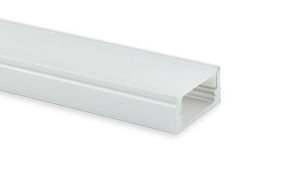
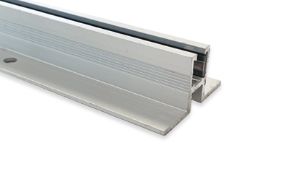
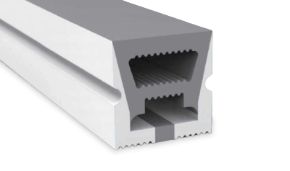
The trimless profiles of the PR-DW series (specific for plasterboard) allow you to integrate the light directly into the masonry. The result is an atmosphere where light seems to spring from the void, ideal for "architectural" mood boards and contemporary minimalist atmospheres. The absence of visible frames produces an effect of pure suspended light, particularly effective in atmospheres no. 1, 2, and 8.
Accent and indirect light
Angular profiles like the PR-AN02 or double-emission wall solutions like the PR-WL04 are perfect for mood boards that play with volumes and cast shadows, directing the beam towards specific surfaces to emphasize their texture. On textured plaster, an angular profile at 30° generates shadows that sculpt the wall like a bas-relief.
The director: Skydance control systems
The real magic of the replicability of the 12 atmospheres lies in the control. Without intelligent management, light remains static.
Scene recall (scene memory)
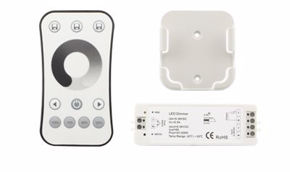
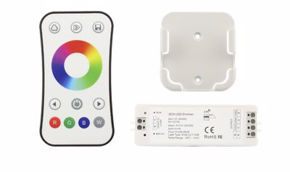
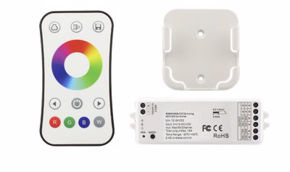
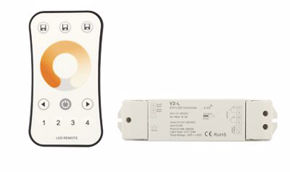
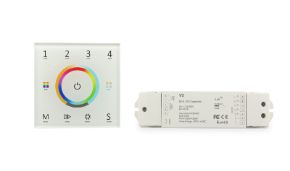
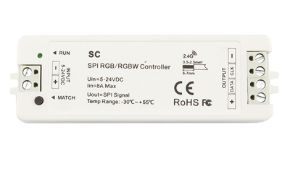
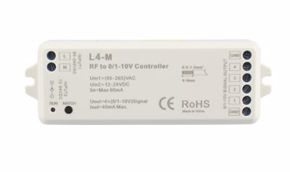
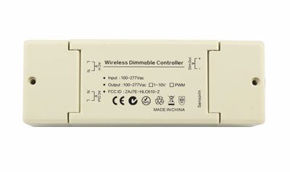
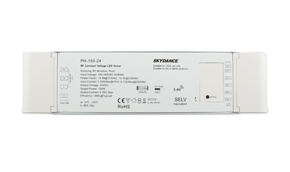
The potential of Skydance controllers lies in the Scene Memory function. Devices like touch panels or smart apps allow you to instantly save and recall different configurations (intensity, warmth, color), making every "atmosphere" replicable with a simple touch. All 12 scenes of our light mood board can be stored in a single Skydance controller and recalled with a tap.
Logarithmic dimming
Unlike cheap systems, Skydance uses a logarithmic dimming curve. This is fundamental because the human eye does not perceive light linearly; this technology ensures that the transition from a dim light to a vibrant one is perceived as natural and fluid. On a linear dimmer, the transition from 10% to 20% appears as a sudden doubling; on a logarithmic dimmer, it appears as a natural progression.
Wireless synchronization
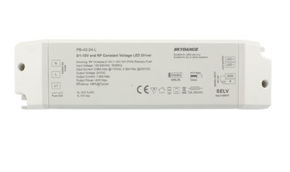
Thanks to the Auto-transmission function, it is possible to manage complex moods over large areas without complicated wiring: each controller relays the signal to the next one, ensuring that the atmosphere is perfectly uniform throughout the room. It is the ideal solution for lofts, extended retail environments, restaurants, and showrooms.
Stability: flicker-free power supplies
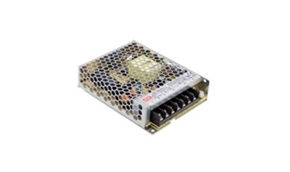
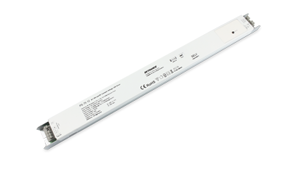
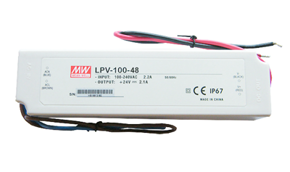
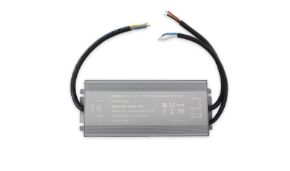
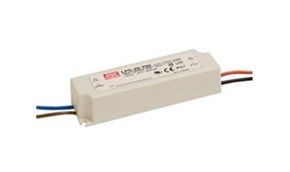
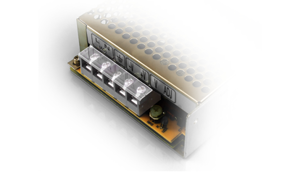
A light mood board loses effectiveness if the light presents imperceptible but tiring flickers. The use of flicker-free drivers (such as the PWM, XLN, or XLC series) guarantees stable light, ideal for domestic visual comfort and indispensable if the atmosphere must be immortalized in photographs or videos for social media. For professional photographers and TV sets, flicker-free is a non-negotiable requirement.
Combining the precision of COB strips, the aesthetic cleanliness of recessed profiles, the versatility of zone controllers, and the stability of Mean Well power supplies, it is possible to transform a single physical space into 12 different worlds, each with its own lighting identity.
8. The 12 replicable atmospheres — card by card
Let's enter the operational heart of the article. For each of the 12 atmospheres you will find: mood description, ideal environment, technical parameters (kelvin, CRI, lumens/m), recommended Ledpoint products, Skydance scene, and composition suggestions. Each atmosphere has been tested in the laboratory and on real projects.
Atmosphere 1 — Soft minimal
Mood: calm, order, essentiality. It is the atmosphere of Scandinavian architecture and Japanese wabi-sabi. Perfect for high-end residential interior mood boards.
Environment: minimal living rooms, bedrooms, professional studios.
Parameters: 3000K, CRI >95, 800–1000 lm/m, dimming at 40–60%.
Ledpoint products: COB strip CRI97 + trimless profile PR-DW + PWM power supply + Skydance touch controller.
Skydance scene: recallable as "SOFT-1".
Mood board suggestion: images of interiors in beige-greige tones, light wood, natural linen, matte ceramics.
Atmosphere 2 — Architectural cut
Mood: sharp cut, architectural gesture, rigorous modernity. It is the luminous signature of contemporary projects.
Environment: hotel entrances, showrooms, double-height living rooms.
Parameters: 3500K, CRI >90, 1200 lm/m, intensity 80–100%.
Ledpoint products: high-density COB strip (480 LED/m) + PR-DW trimless profile + Skydance controller.
Skydance scene: "ARCHI-2".
Mood board: images of Tadao Ando, exposed concrete, gray marble, screen-printed glass.
Atmosphere 3 — Warm hospitality
Mood: warm welcome, reassuring calm. It is the atmosphere of wine bars, bistros, boutique hotel lobbies.
Environment: restaurants, hotels, waiting rooms.
Parameters: 2700K, CRI >95, 600–800 lm/m, dimming at 30–50%.
Ledpoint products: Sunlike strip 2700K + 16 mm angular profile + Mean Well XLN flicker-free power supply.
Skydance scene: "WARM-3".
Mood board: brushed brass, burgundy velvet, walnut wood, candles.
Atmosphere 4 — Cinematic drama
Mood: sharp contrasts, marked shadows, cinematic feel. Ideal for environments where light tells a story.
Environment: lounge bars, private rooms, creative studios.
Parameters: 2200K + selective RGB, CRI >90, dimming 20–40%.
Ledpoint products: RGBW strip + double-emission profile PR-WL04 + multi-zone Skydance controller.
Skydance scene: "CINEMA-4".
Mood board: contemporary noir, long shadows, black leather, dark brass.
Atmosphere 5 — Daylight pure
Mood: clarity, energy, visual precision. It is daylight replicated indoors.
Environment: design studios, laboratories, photo sets, bathrooms, walk-in closets.
Parameters: 5000–5500K, CRI >97, R9 >95, 1500 lm/m at 100%.
Ledpoint products: Sunlike strip 5000K + PR-DW profile + flicker-free power supply for photography.
Skydance scene: "DAY-5".
Mood board: northern natural light, optical white, brushed steel, fashion photography.
Atmosphere 6 — Spa wellness
Mood: relaxation, sensory silence, deep relaxation.
Environment: spas, master bathrooms, wellness areas, bedrooms.
Parameters: 2700K shifting towards 2200K in the evening hours, CRI >95, 300–500 lm/m.
Ledpoint products: adjustable CCT strip + IP65 profile for bathroom + Skydance controller with circadian timer.
Skydance scene: "SPA-6".
Mood board: natural stone, teak, steam, cream towels.
Atmosphere 7 — Retail energy
Mood: vivacity, attraction, product highlighting. It is the light of new-generation retail.
Environment: boutiques, concept stores, shop windows.
Parameters: 4000K base + programmable RGBW accents, CRI >95, R9 >90.
Ledpoint products: RGBW strip + Pixel Control + recessed profiles + multi-scene Skydance controller.
Skydance scene: "RETAIL-7" with programmable dynamic sequence for day/evening.
Mood board: references to Apple Store, Aesop, Hermès retail design.
Atmosphere 8 — Gallery museum
Mood: contemplation, absolute focus on the artwork, exhibition rigor.
Environment: galleries, private museums, designer bookstores, domestic collections.
Parameters: 3000K, CRI >97, R9 >95, 1000 lm/m, grazing illumination.
Ledpoint products: Sunlike strip CRI97 + angular profile PR-A16 + Skydance logarithmic dimmer.
Skydance scene: "GALLERY-8".
Mood board: museum white, oak parquet, thin frames, artworks.
Atmosphere 9 — Mediterranean sunset
Mood: Mediterranean warmth, golden hour, solar romanticism.
Environment: terraces, verandas, outdoor restaurants, taverns.
Parameters: 2200K + orange RGB accents (R220 G80 B40), dimming 30%.
Ledpoint products: IP65 RGBW strip + outdoor profile + wireless Skydance controller.
Skydance scene: "SUNSET-9".
Mood board: earth-colored plaster, artisanal ceramics, olive tree, ecru linen.
Atmosphere 10 — Nordic night
Mood: winter intimacy, hygge, suspension.
Environment: cabins, chalets, winter living rooms, bedrooms.
Parameters: 2400K, CRI >90, 400–600 lm/m at 25–40%.
Ledpoint products: adjustable CCT COB strip + double-emission wall profile + Mean Well flicker-free.
Skydance scene: "NORDIC-10".
Mood board: wool, light wood, gray wool, snow outside the window.
Atmosphere 11 — Vibrant party
Mood: explosive energy, rhythm, party.
Environment: taverns, game rooms, private lounges, events.
Parameters: RGBW Pixel with dynamic sequences, synchronizable to music.
Ledpoint products: Pixel addressable strip + Skydance DMX controller + stabilized power supply.
Skydance scene: "PARTY-11" with chase, fade, beat-sync effects.
Mood board: club design, neon, colored vinyls, mirrored reflections.
Atmosphere 12 — Circadian smart
Mood: biological well-being, natural rhythm, visual health. It is the atmosphere of the future.
Environment: offices, schools, smart homes, luxury hotels.
Parameters: variable CCT 2200K→6500K over 24 hours, CRI >95, automatic dimming.
Ledpoint products: Tunable CCT strip + circadian Skydance controller + home automation integration.
Skydance scene: "CIRCADIAN-12" programmable over 24h.
Mood board: solar spectrum, circadian rhythm graphs, bio-based materials.
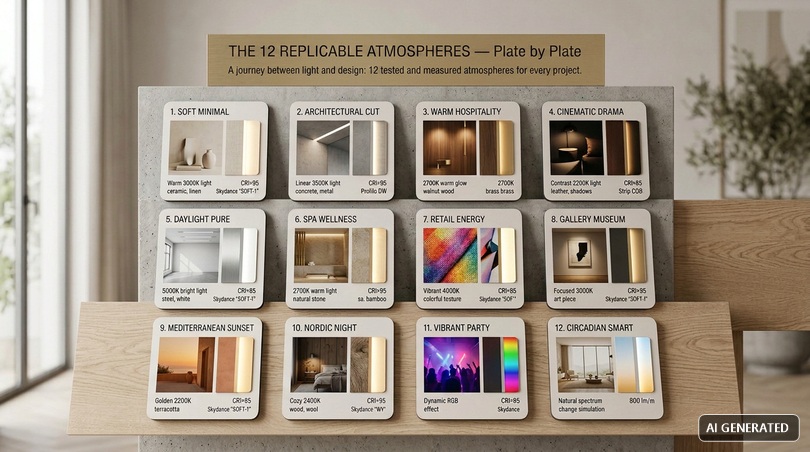
9. Comparative table of the 12 atmospheres
An operational summary that allows you to compare the 12 atmospheres at a glance and choose the one most suitable for your project.
| # | Atmosphere | CCT (K) | CRI | lm/m | Dim % | Strip type | Profile |
|---|---|---|---|---|---|---|---|
| 1 | Soft minimal | 3000 | >95 | 800–1000 | 40–60 | COB CRI97 | PR-DW |
| 2 | Architectural cut | 3500 | >90 | 1200 | 80–100 | COB 480 LED/m | PR-DW |
| 3 | Warm hospitality | 2700 | >95 | 600–800 | 30–50 | Sunlike | PR-A16 |
| 4 | Cinematic drama | 2200+RGB | >90 | variable | 20–40 | RGBW | PR-WL04 |
| 5 | Daylight pure | 5000–5500 | >97 | 1500 | 100 | Sunlike 5000K | PR-DW |
| 6 | Spa wellness | 2200–2700 | >95 | 300–500 | 20–40 | CCT IP65 | IP65 |
| 7 | Retail energy | 4000+RGBW | >95 | variable | 70–100 | RGBW Pixel | PR-DW |
| 8 | Gallery museum | 3000 | >97 | 1000 | 60–80 | Sunlike CRI97 | PR-A16 |
| 9 | Mediterranean sunset | 2200+RGB | >90 | 500–700 | 30 | RGBW IP65 | Outdoor |
| 10 | Nordic night | 2400 | >90 | 400–600 | 25–40 | COB CCT | PR-WL04 |
| 11 | Vibrant party | RGBW Pixel | >90 | dynamic | variable | Pixel Addr. | PR-DW |
| 12 | Circadian smart | 2200→6500 | >95 | 1200 | auto | CCT Tunable | PR-DW |
10. Common mistakes and best practices in creating a light mood board
Even the most experienced professionals fall into recurring mistakes when moving from a generic mood board to a light mood board. Here are the most frequent mistakes and how to avoid them.
1. Mixing color temperatures without criteria
Inserting strips at 2700K and others at 4000K in the same environment without logic generates a visually confused result. Best practice: define a base temperature and use any other CCTs only as functional accents (e.g., kitchen).
2. Ignoring the CRI
Cheap strips with CRI 70–80 may seem equivalent at first glance, but on materials they ruin the perception of woods, fabrics, and skin. Best practice: CRI >90 as a minimum, >95 for high-end residential environments, >97 for galleries and photography.
3. Forgetting dimming
An atmosphere is dynamic: the same room at 8 in the morning and at 10 PM needs different intensities. Best practice: every light mood board should provide at least 3 scenes per time slot, managed by Skydance controllers.
4. Neglecting flicker
Poor power supplies produce flickers that tire the eyes and ruin video recordings. Best practice: always use certified Mean Well flicker-free drivers.
5. Overloading the mood board
Too many images, too many colors, too many fonts generate an unreadable result. Best practice: maximum 8–12 visual elements per board, a palette of 3–5 colors, maximum 2 fonts.
6. Forgetting real materials
A mood board of only images does not communicate materiality. Best practice: always integrate real samples or macro photos that show the grain, especially for interior design projects.
11. Mood board by sector
Every profession has different needs in building the mood board. Let's see how to adapt the methodology to the five main profiles.
Graphic designers
The graphic designer looks for tools to create professional mood boards and versatile export formats. Tip: use Photoshop or Figma for total graphic control, export in high-resolution PDF and PNG for web sharing. Always include Pantone, Hex, and CMYK codes and, if the project has a spatial dimension, also the kelvin values of the expected ambient light.
Interior designers
The interior designer wants mood boards that inspire clients and coordinate renovation projects. Tip: integrate the lighting plan with product codes into the board. For each room, show the night and day atmosphere using Skydance scenes. Share with clients via Milanote or interactive PDF. The 12 atmospheres in this article are designed precisely as a starting library for interior designers.
Marketing managers
The marketing manager uses mood boards for advertising campaigns and creative concept presentations. Tip: Figma or Milanote for team collaboration. Include brand guidelines, campaign palette, and when the campaign involves photo shoots, also the lighting parameters of the set to ensure visual consistency.
Professional photographers
The photographer builds mood boards to plan photo shoots. Tip: digital mood boards with references to natural and artificial light, set lighting scheme, expected kelvin for each source. Ledpoint Sunlike strips CRI >97 R9 >95 are designed specifically for photographic productions, ensuring chromatic neutrality and zero flicker.
Fashion entrepreneurs and stylists
In the fashion sector, the mood board is used to develop collections. Tip: physical + digital mood boards, with real fabric samples. The showroom light must be CRI >95 with R9 >90 to avoid distorting the colors of the fabrics. Atmosphere no. 5 (Daylight Pure) and no. 8 (Gallery Museum) are the ideal configurations for fashion showrooms and photo studios.
12. Market data and 2026 trends
The market for mood boards and illuminated interior design is booming. Some market data and trends observed in 2026:
- 72% of interior designers declare they use digital mood boards in the client presentation phase.
- 60% of high-end residential projects include at least one adjustable CCT scene.
- Circadian lighting is the fastest-growing trend in the smart home segment: +120% in requests between 2024 and 2026.
- The share of COB strips on the total of Ledpoint strips sold has gone from 18% in 2022 to 54% in 2026.
- Integration with voice assistants and home automation is requested in 78% of smart projects.
These numbers confirm that the use of light mood boards is no longer an optional creative exercise, but a now consolidated design step throughout the quality furnishing sector.
FAQ — Frequently asked questions about mood boards and LED lighting
What is a mood board?A mood board is a visual board that collects images, colors, textures, fonts, and keywords to communicate the atmosphere of a project. It is used in interior design, fashion, marketing, photography, and in its evolved "light mood board" version also in lighting engineering to define the parameters of a system. |
What does mood board mean in Italian?The Italian translation of mood board is "tavola d'ispirazione" or "tavola tematica". In professional language, the English term is preferred, even in the unified form "moodboard". |
How to create a free mood board?You can create a free mood board with Canva (free version), Pinterest, Milanote (free basic plan), or Figma. For a light mood board, add technical parameters like kelvin, CRI, and lumens next to the reference images. |
What to put in a mood board?In a mood board you should insert: reference images, color palettes, textures and materials, fonts, keywords, and any real samples. In a light mood board, color temperature in kelvin, CRI, lumens, IP, and control type are added. |
What program to use to make a mood board?The most used programs are Canva (easy and free), Milanote (for creatives and teams), Adobe Photoshop (maximum control), Figma (collaborative), Pinterest (for the collection phase). For interior design, there is dedicated software like Morpholio Board and SampleBoard. |
How to create a mood board with Canva?Open Canva, create a new project in A3 or square format, upload images, add color palettes from templates, insert texts with your fonts, export in PDF or PNG. For a light mood board, place the estimated color temperature next to each image. |
Which LED strips to choose for a light mood board?For uniform minimal atmospheres: high-density COB strips. For chromatic fidelity: Sunlike CRI >95. For dynamic atmospheres: RGBW or Pixel. Among the Ledpoint proposals, it is possible to find IP65 options for humid environments and outdoors. |
How to memorize the scenes of a light mood board?With Skydance controllers, you can memorize up to 12 or more preset scenes recallable from a touch panel, smart app, or voice assistant. Each scene saves intensity, color temperature, and RGB channels. |
How much does it cost to create a light mood board?The cost depends on the meters of strip, the type of profile, and the chosen controller. For an average room of 20 sqm with 12 memorized scenes, the indicative range is €400–1,500. |
Can I replicate the 12 atmospheres with a single system?Yes. By combining adjustable CCT or RGBW strips with a multi-scene Skydance controller, a single system can recall all 12 atmospheres via memorized keys or an app. |
Mood board: to illuminate well, design better.
Building a light mood board means combining aesthetic sensitivity and technical rigor, creative intuition and measurable data. It is in this apparently subtle but actually decisive balance that the difference between an illuminated environment and an environment that emotes, tells, and welcomes is played out. Light is not a final detail: it is the first material with which the perception of a space is built, and it is the last thing the gaze forgets when leaving it.
The 12 proposed atmospheres are neither a theoretical exercise nor an editorial suggestion: they are real configurations, validated on residential, retail, hospitality, and cultural projects throughout Italy, and fully replicable with the integrated ecosystem of COB, RGBW, and Sunlike LED strips, anodized aluminum LightingLine profiles, multi-scene Skydance controllers, and Mean Well flicker-free power supplies. Each atmosphere has a precise technical identity (kelvin, CRI, lumens, dimming, memorable scene) that makes it reproducible exactly as you imagined it, without margins of approximation.
Whether you are an interior designer called to present a renovation concept to a demanding client, a professional photographer looking for chromatic neutrality and zero flicker for your studio, a marketing manager engaged in building a coherent brand experience, a graphic designer who translates visual concepts into real installations, or a fashion entrepreneur who wants a showroom capable of enhancing every nuance of fabric, you now have a ready-to-use operational library. A visual and technical toolbox to transform any inspiration into a concrete lighting system, controllable with a tap on the app or from a wall touch panel.
The next step is simple and immediate: choose the atmosphere most akin to your project among the 12 cards, download the technical data sheets of the suggested products, compare the photometric parameters with those of your destination environment, and request a personalized quote from the Ledpoint team. If you prefer to move independently, use the Ledpoint configurator to select the necessary strips, profiles, power supplies, and controllers.
A final recommendation, which applies to every serious project: do not select light through improvisation. The difference between an average environment and a memorable one almost always lies in the lighting details: one degree kelvin more or less, a CRI that returns or betrays a material, a dimming curve that accompanies or breaks the naturalness of a transition. The right light is not improvised: it is designed, measured, calibrated, and memorized. And this is exactly the meaning of a well-built light mood board.
This article was developed with the support of artificial intelligence and subsequently reviewed, corrected, and validated by the Ledpoint.it technical team, which guarantees its reliability and compliance with official sources.