











LED switch: a guide to professional choice
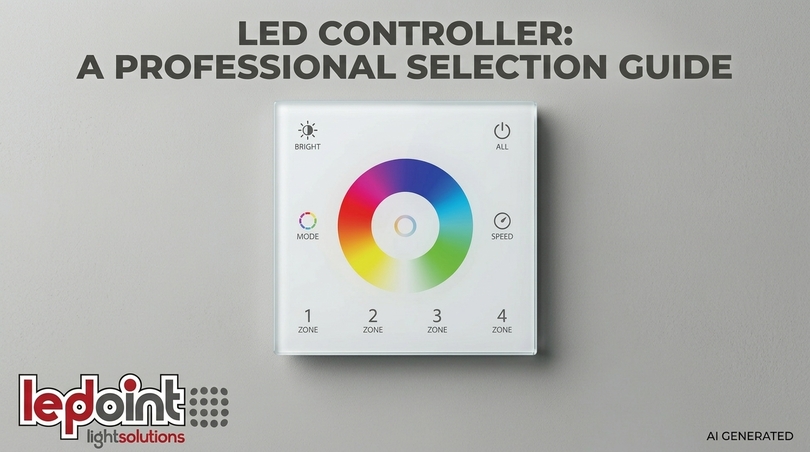
Choosing a LED switch does not simply mean buying a device that turns a light on and off. It means understanding how LED technology interacts with the electrical system, with light strips, and with the daily needs of those who live or work in an environment. A properly designed and selected LED switch guarantees years of stable operation, prevents flickering, protects drivers from inrush currents, and integrates harmoniously with the aesthetics of the spaces.
The choice of the right LED switch depends on three fundamental factors: the type of load to be controlled, the supply voltage, and the desired functions. A 24V LED strip switch is not interchangeable with a 220V touch switch: the differences are not only electrical but also functional and ergonomic. This guide is designed to accompany installers, designers, and end-users through a clear, technical, yet accessible path, starting from the basics and leading to practical configuration.
A contextual fact: according to market research in the lighting sector, over 60% of reported failures in domestic LED systems are due to incompatibility between the control device and the LED load, not a defect in the product itself. Choosing an appropriate switch with LED or touch switch for LED prevents most of these problems. The Ledpoint.it catalog offers solutions designed to integrate with professional LED strips and modules. Every product mentioned in this guide is actually available and selected for its technical reliability. The goal is to provide a concrete choice tool, with tables, configurators, and direct links to the products.
In this article...
1. Types of LED switches: which one to choose for every need
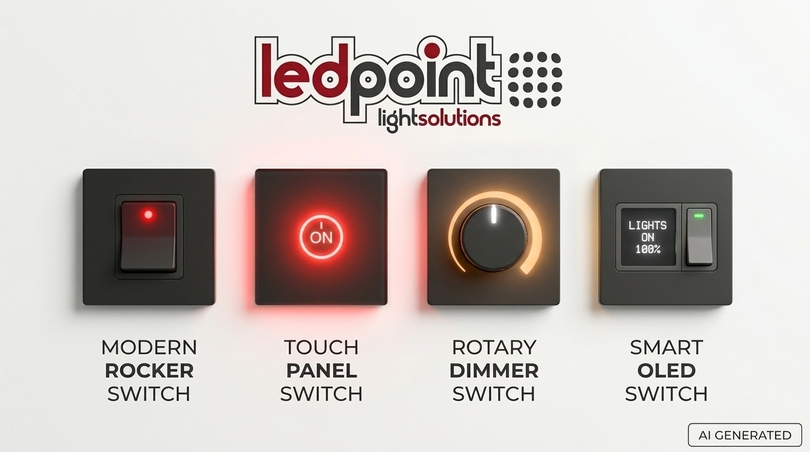
Before diving into the technical details, it is useful to have a mental map of the types of LED switches available. There is no universally best model: there is the model best suited to a specific context of use. This section introduces the main categories, which will then be explored in the following chapters.
Mechanical switches with integrated LED
These are the most traditional switches with LED: a mechanical contact that opens and closes, enriched by an indicator light that signals the state of the circuit. The illuminated switch in this category can have the LED in parallel (indicator always on, turns off when the light is on) or in series (LED on when the load is active). The mechanics are proven, replacement is simple, and costs are contained. When to choose them: in traditional civil installations, where proven mechanical reliability and simple replacement of old switches are desired. They are the mandatory choice when the neutral wire is not available in the box or when the load is particularly inductive.
Touch switches
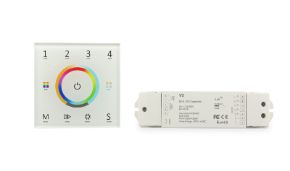
Touch switches use a capacitive sensor that detects finger contact on a glass, plastic, or metal surface. The LED touch switch has no moving parts, which reduces mechanical wear and allows for minimalist designs and easily cleanable surfaces. The touch switch is often backlit and can integrate dimming functions. When to choose them: in modern environments, hotel rooms, offices, or where surface aesthetics and hygiene are a priority. Touch switches are ideal for those looking for a touch screen switch or a touch button integrated into designer plates.
LED Dimmers
The LED dimmer does not just turn on and off: it regulates light intensity. The dimmer switch can be rotary, touch, or integrated into a touch screen switch. It requires the LED load to be dimmable and the type of regulation (leading or trailing edge phase cut) to be compatible with the driver. The LED dimmer is the solution for creating atmospheres and saving energy. When to choose them: in living rooms, bedrooms, restaurants, and all environments where light modulation creates atmosphere and energy savings.
Smart switches (Wi-Fi, RF, home automation)
Smart switches integrate Wi-Fi, Bluetooth, or 2.4GHz RF connectivity, allowing control via smartphone, voice assistants, or home automation systems. The home automation capacitive switch can be programmed for automatic scenarios. The Wi-Fi touch switch is the solution for those who want to integrate lighting into a smart ecosystem. When to choose them: in smart homes, hotels with centralized management, environments where remote control adds functional value.
Buttons with LED
The button with LED is a monostable device: it returns to the resting position after release. It is often used in combination with relays or timers. The touch button combines the monostable function with touch technology. The touch button is ideal for timed controls or for integration into electrical panels. Summary table: types of LED switches
| Type | Typical voltage | Main function | Ideal application |
| Mechanical switch with indicator | 220V | ON/OFF with signaling | Traditional civil installations |
| Touch switch | 100-240V | Touch ON/OFF | Modern environments, hotels |
| LED dimmer | 220V / 12-24V | Intensity regulation | Living rooms, restaurants |
| Smart switch | 110-240V | ON/OFF + remote control | Smart home, home automation |
| Button with LED | 12-220V | Monostable control | Panels, automation |
2. Switch with indicator light: operation and wiring
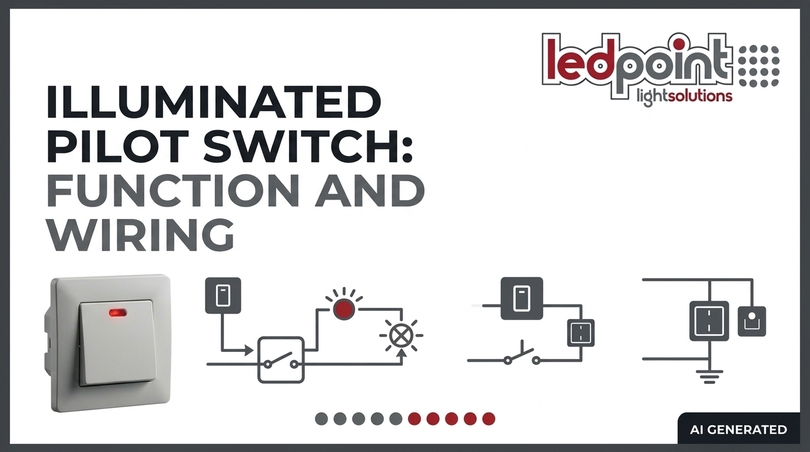
The switch with indicator light is one of the most frequent requests: it allows you to locate the switch in the dark and, in some configurations, signals whether the load is on or off. But how do you wire a switch with an indicator light? The answer depends on the type of indicator and the position of the neutral wire. This section analyzes the possible configurations, diagrams, and critical issues.
Parallel indicator: indication in the dark
In the most common configuration in Italian civil installations, the LED indicator for switch is connected in parallel to the contact. When the switch is open (light off), a minimal current passes through the indicator and turns it on, making the switch visible. When the switch is closed (light on), the indicator turns off because the potential difference across its terminals is zero. This diagram is typical of LED indicators for BTicino switches and Vimar switches with indicator light. Warning: with low-power LED loads, the current passing through the parallel indicator may be sufficient to charge the internal capacitors of the driver, causing the phenomenon of the LED bulb remaining slightly lit even when the switch is off. In these cases, the solution is a double-pole switch that interrupts both phase and neutral.
Series indicator: active load indication
In this configuration, the indicator LED is in series with the load: it turns on only when the light is actually powered. It is typical of transparent illuminated switches (like those on power strips) or switches with indicator designed to signal the ON state. The wiring diagram requires the indicator to be connected between the load return and the neutral. In practice: phase to the switch input, output to the load, and the indicator connected between the output terminal and the neutral.
Wiring diagram for switch with indicator light
The most common wiring diagram for switch with indicator light includes: - Phase (L) to the common terminal of the switch. - Load return from the output terminal. - Indicator connected between the output terminal and the neutral (for series indicator) or in parallel to the contact (for dark indicator). Wiring a switch with indicator: it is essential to respect the polarity of the LED indicator and verify that the absorption current is compatible with the load.
When the switch with indicator causes problems
Does the LED bulb remain slightly lit even when the switch is off? The problem is almost always the parallel indicator. The possible solutions are:
- Replace with a double-pole switch, which interrupts both poles.
- Remove the indicator, if not essential.
- Add a power factor correction capacitor, to absorb the residual current.
- Use a low-consumption indicator switch, designed not to interfere with sensitive LED loads.
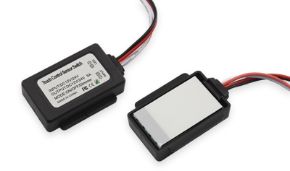
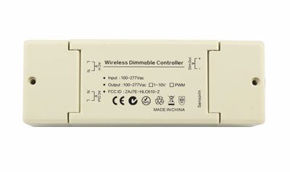
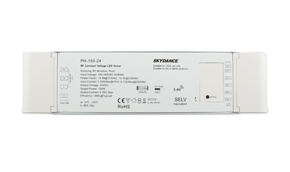
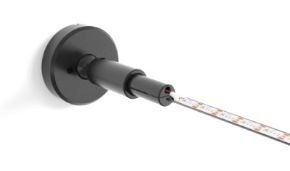
Related Ledpoint products: for 12/24V systems, the SkyDance Switch with PIR motion sensor offers an integrated solution with presence detection and PWM control, ideal for LED strips in environments where automatic activation is preferable to a manual switch. For regulating 220V LED strips, the ELCART Compact dimmer for 220V LED strip 1.4A represents a compact solution.
3. Touch and proximity switches: technology and installation
The touch switch represents the most visible evolution of light control: no moving mechanical parts, continuous surface, clean design. But how does a touch switch work? The principle is capacitive detection: the finger, approaching or touching the surface, modifies the electrical capacitance of the sensor, which an integrated circuit interprets as a command. This section analyzes technologies, components, installation, and compatibility.
Detection technologies
The capacitive touch sensor is the dominant technology. However, there are also resistive tactile switches (less common, require pressure) and infrared touch sensors (used in specific applications). The piezoelectric touch sensor detects mechanical deformation of the surface and is more robust in difficult environments. The difference between touch and proximity is substantial: touch requires physical contact, proximity can activate a few millimeters away.
Main components
The capacitive sensor electrode is the heart of the device. The touch switch integrated circuit processes the signal and controls the relay for touch switch or the electronic switch triac. Power can be derived from the mains or from a dedicated transformer. The control surface is often made of tempered glass, resistant to scratches and moisture.
Installation: compatibility with 503 boxes and existing systems
Is a touch switch compatible with a 503 box? Yes, many models are designed for mounting in standard 503 boxes (86x86 mm). However, depth is a critical factor: LED touch switches often require at least 35-40 mm of depth to accommodate the electronics and the relay. How do you install a touch switch on an existing electrical system? The typical procedure involves: 1. Interrupting the power supply at the circuit breaker. 2. Verifying the absence of voltage with a tester. 3. Removing the old switch, identifying phase (L) and load (Load). 4. Connecting the new device according to the provided diagram: phase, neutral (if required), load. 5. Fixing in the box and mounting the plate. 6. Gradual restart and verification of operation. A critical point: some touch switches require the neutral wire in the box. Which touch switch works without a neutral wire? There are "2-wire" models that power themselves through the load, but they present compatibility limitations with low-power LED loads.
Calibration and configuration
The capacitive sensor may require calibration in environments with high humidity, nearby metal surfaces, or thick plates. Sensitivity adjustment allows setting the activation distance (some models work at 4 mm from the surface). Capacitive sensor calibration is often automatic at startup, but can be manual on professional models.
Advantages and disadvantages
Advantages of touch switches: - Modern and minimalist design. - Easy-to-clean surface. - No mechanical wear. - Possibility of integrating dimmers and backlighting. Disadvantages of touch switches: - Requires power (neutral or battery). - Sensitivity to humidity and interference. - Higher cost compared to mechanical switches. - Touch switch problems in case of incompatible loads.
Electrical safety
Touch switch installation safety: it is essential to comply with domestic electrical system safety standards. Isolation of the capacitive sensor from the mains must be guaranteed by adequate distances and materials. Code-compliant electrical installation requires the intervention of a professional for 230 V connections. Related Ledpoint products: for projects requiring touch control integrated with smart systems, the SkyDance Smart curtain switch demonstrates how touch and 2.4GHz RF technology can coexist in a single DIN rail device.
4. LED dimmer switch: light regulation
What is a dimmer switch? It is a device that regulates the average power supplied to the load, varying the light intensity. How does a dimmer switch work? The most common technique is Pulse Width Modulation (PWM) for DC loads, or phase cut (leading/trailing edge) for 230V AC loads. This section analyzes the types, critical parameters, and compatibilities.
220V LED dimmer
The universal dimmer for 230V light regulation is designed for resistive, inductive, and capacitive loads. The critical parameters are: - Minimum load: many dimmers require at least 3-10W to function stably. Below this threshold, regulation becomes irregular or the load does not turn on. - Load type: LED lamps, electronic transformers, phase-cut LED drivers. - Maximum power: must not be exceeded to avoid overheating. Common problem: touch switch dimmer flickering issues. Flickering can derive from: - Incompatibility between dimmer and LED driver. - Load too low. - Minimum regulation set incorrectly.
Dimmer for 12/24V LED strips
For low-voltage LED strips with switch, the PWM dimmer is the standard solution. How to make an LED strip dimmable? The strip must be dimmable (almost all professional LED strips are) and the dimmer must be connected between the power supply and the strip. Typical parameters: 12V or 24V DC voltage, current up to 30A, PWM frequency > 1kHz to avoid visible flicker.
Touch dimmer and regulation
How does a touch dimmer work? It uses a capacitive sensor to regulate intensity with gestures (tap, swipe, long press). The touch light regulation switch can be a capacitive dimmer for LED, with memory of the last set level.
Choosing the right dimmer
Table: LED dimmer selection criteria
| Criterion | 230V AC Load | 12/24V DC Load |
| Voltage | 220-240V AC | 12V or 24V DC |
| Technology | Phase cut | PWM |
| Minimum load | 3-10W | Often 0W |
| Compatibility | Dimmable drivers | Dimmable strips |
| Control | Rotary, touch, remote | Rotary, RF, Wi-Fi |
Related Ledpoint products: for regulating 220V LED strips, the ELCART Compact dimmer for 220V LED strip 1.4A offers a compact solution for residential and commercial applications.
5. Single-pole, double-pole, two-way, intermediate: technical differences
What is the difference between a single-pole and a double-pole switch? The distinction is fundamental to understanding when a LED switch is safe and effective. This section analyzes the differences between control devices and their correct applications.
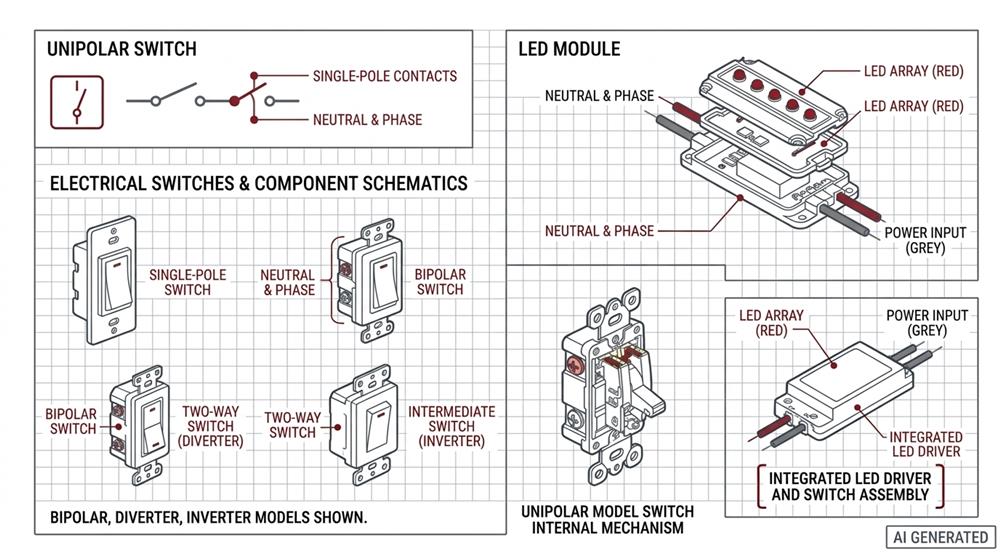
Single-pole switch
What is a single-pole switch? It interrupts only one conductor, typically the phase. It is the standard in Italian civil installations. Which wire to break with a switch? Always the phase, never the neutral, for safety reasons. Limitation: with sensitive LED loads, interrupting only the phase may leave the neutral connected to the driver, causing capacitive micro-currents that can keep the LEDs weakly illuminated.
Double-pole switch
What is a double-pole switch? It interrupts both poles (phase and neutral). Why is a double-pole switch used? It guarantees complete isolation of the load, eliminating any residual current. When is a double-pole switch mandatory? In environments with high humidity, in industrial applications, and in all cases where safety requires total isolation. When is a double-pole switch used? Also in the presence of LED loads that remain weakly lit. What happens if I reverse phase and neutral in a switch? With a single-pole switch, the neutral remains connected to the load even when the switch is open. With a double-pole switch, the reversal does not compromise isolation.
Two-way and intermediate switches
What is the difference between a switch and a two-way switch? The switch controls a load from one point. The two-way switch allows controlling the same load from two points (the classic "two-way" circuit). The intermediate switch (or cross switch) extends control to three or more points. What is the difference between a two-way switch and an intermediate switch? The two-way switch has two output contacts, the intermediate switch has four. The intermediate switch is installed between two two-way switches to add an intermediate control point.
Button and switch
What is the difference between a switch and a push button? The switch is bistable (remains in the set position), the push button is monostable (returns to rest). How does a push button switch work? It closes the circuit only as long as it is pressed, often piloting a relay. What is the difference between a switch and a push button? The function and the type of contact.
Table: differences between control devices
| Device | No. of control points | Contacts | Application |
| Single-pole switch | 1 | 1 | Single control |
| Double-pole switch | 1 | 2 | Total isolation |
| Two-way switch | 2 | 2 | Two-way circuit |
| Intermediate switch | 3+ | 4 | Multi-point |
| Push button | Unlimited | 1 NO | Relays, timers |
6. Voltage compatibility: switches for 220V and 12/24V LEDs
At what voltage do LEDs operate? The answer is not univocal: it depends on the type of LED and the circuit configuration. This section analyzes supply voltages and compatibility with switches.
220V LEDs (high voltage)
How does a 220V LED switch work? High-voltage LED strips (rectified 220V AC) or LED modules with built-in drivers work directly from the mains. The 220V LED switch is a normal mains switch, but it must be compatible with the specific load. Warning: 220V LED strips present higher electrical risks and require adequate insulation. The 220V touch switch must comply with safety standards for devices connected directly to the mains.
12V and 24V LEDs (low voltage)
At what voltage are LEDs powered? Most professional LED strips use 12V or 24V DC. The LED switch connection requires a switch suitable for the DC voltage and load current. How to wire a 12 Volt switch? A mechanical switch or push button connected between the power supply and the strip. The 12V button with LED can be integrated to signal the state. Problem: voltage drop over long runs can reduce brightness. For this reason, switches for 12/24V LED strips must have low-resistance contacts.
Power supply and driver
An often overlooked point: the LED driver or power supply plays a crucial role in compatibility. A non-dimmable driver connected to a dimmer will not work correctly. An oversized driver may keep the LEDs lit even when the switch is off if the indicator is in parallel. What voltage is needed to turn on an LED? A single LED requires about 2-3V (depending on the color), but modules and strips integrate resistors and circuits that allow power supply at 12V, 24V, or 220V.
7. Switches and controllers for LED strips
The LED strip switch is a specific component, different from a normal civil switch. The differences concern voltage, current, and often the need for additional functions such as PWM regulation. This section analyzes connections, compatibility, and products.
Basic connection
How to connect an LED strip to a switch? The diagram is simple: power supply → switch → strip. The switch interrupts the positive (or negative) between the power supply and the strip. How to connect an LED strip without a transformer? If the strip is 220V, no transformer is needed, but a 220V switch is required. If the strip is 12/24V, the transformer (power supply) is indispensable. How to connect an LED strip? Verify voltage and current, connect the power supply, interpose the switch or controller, respect polarities.
Controller vs switch
A controller for LED strip often integrates dimming functions, color change (RGB), and remote control. The LED strip switch can be a simple ON/OFF or a more complex device. Related Ledpoint products: for professional 24V LED strips like the COB LED strip 3000K/4000K CRI Ra>93 600led/m 24V 26W/m, a 24V PWM switch or controller ensures precise intensity control.
Waterproofing and difficult environments
For installations in bathrooms, kitchens, or outdoors, a waterproof LED switch (IP65 or higher) is necessary. The IP67 rocker switch is a common solution for marine or outdoor applications. The SkyDance Switch with PIR motion sensor, with 12-48V voltage, is designed to integrate into low-voltage systems with PWM control, ideal for LED strips in environments where automatic activation is preferable.
How to connect an LED strip without a transformer
If the strip is 220V, it can be connected directly to the mains with an adequate switch. How to connect an LED strip without a transformer? By using 220V strips and a 220V switch, respecting safety standards.
8. Smart switches and home automation integration
How do smart switches work? They integrate a communication module (Wi-Fi, Bluetooth, RF, Zigbee) that allows control via app, voice assistant, or centralized system. This section analyzes protocols, compatibility, and applications.
Protocols and compatibility
Which protocols do smart touch switches support? The most common are: - Wi-Fi: direct connection to the home network, control via Tuya/Smart Life app. - RF 2.4GHz: requires a gateway or remote control. - Zigbee: requires a hub, but offers mesh networking. Can a touch switch be controlled from a smartphone? Yes, if equipped with Wi-Fi or Bluetooth connectivity. How to connect a touch switch to Alexa or Google Home? Via the manufacturer's app (often Tuya/Smart Life) and the corresponding skill.
Scenarios and automations
Is it possible to program automatic scenarios with a touch switch? Yes, via the app: activation at preset times, activation with sensors, synchronization with other lights. Related Ledpoint product: the SkyDance Smart curtain switch supports Amazon Echo and Google voice control, and is programmable for automated opening/closing scenarios. It demonstrates how a smart switch can integrate into a broader home automation ecosystem.
Practical considerations
Does a touch switch consume energy even when the light is off? Yes, standby consumption is typically less than 0.5W — negligible on the bill but to be considered in installations with hundreds of light points.
9. Common problems: flickering, shutdowns, and false contacts
Even the best LED switch can present problems if not correctly selected or installed. Here are the most common ones and how to solve them.
Flickering
Why do LEDs flicker? The main causes are: - Dimmer-driver incompatibility: the dimmer is not designed for that type of load. - Insufficient load: below the dimmer's minimum power. - Mains interference: electromagnetic disturbances. - Parallel indicator: residual current charges the driver's capacitors. How to prevent LEDs from flickering? Use compatible dimmers, respect the minimum load, avoid parallel indicators with low-power LED loads.
LEDs that remain slightly lit
Why does the LED bulb remain slightly lit even when the switch is off? The cause is almost always a residual current passing through the load. The solutions: - Double-pole switch (interrupts both poles). - Removal of the parallel indicator. - Bypass capacitor on the load.
Touch switch not working
Touch switch not working? Possible causes: - Missing neutral (for models that require it). - Sensitivity too low or surface too thick. - Interference from nearby electromagnetic sources. - Relay or electronics failure. Does the touch switch activate on its own? Sensitivity too high, moisture on the surface, or mains disturbances.
Diagnostic table
| Symptom | Probable cause | Solution |
| Flickering | Dimmer incompatibility | Change dimmer or driver |
| LED always on | Parallel indicator | Double-pole switch or remove indicator |
| Touch not responding | Missing neutral | Verify diagram |
| Involuntary activations | High sensitivity | Calibrate sensor |
| Sudden shutdowns | Overheating | Verify maximum load |
10. Configurator: find the right LED switch
To orient yourself in the choice, use these configuration tables based on specific needs.
Configurator by load type
| Load | Voltage | Recommended switch | Notes |
| 24V LED strip | 24V DC | PWM controller, 12/24V switch | Verify current (A) |
| 220V LED strip | 220V AC | Phase cut dimmer | Minimum load 3-10W |
| 220V LED lamp | 220V AC | Single-pole/double-pole switch | Double-pole for isolation |
| 12V LED module | 12V DC | Button with LED, 12V switch | Low-resistance contacts |
Configurator by environment
| Environment | Priority | Recommended switch |
| Bedroom | Comfort, design | Touch with dimmer, backlit |
| Bathroom | Safety, humidity | IP44+, double-pole |
| Kitchen | Practicality, cleaning | Glass touch, smooth surface |
| Hotel | Durability, aesthetics | Glass touch, smart |
| Outdoor | Robustness, IP | IP65+, mechanical |
Configurator by function
| Desired function | Solution |
| Simple on/off | Single-pole switch |
| Complete isolation | Double-pole switch |
| Two control points | Two-way switch |
| Three or more points | Two-way + intermediate switch |
| Intensity regulation | Dimmer |
| Remote control | Wi-Fi/RF switch |
| Dark signaling | Switch with indicator |
Related Ledpoint products for the configurator: the Switch with PIR motion sensor (12-48V, 2.4GHz RF) for low-voltage automation; the Compact dimmer for 220V LED strip 1.4A for high-voltage strip regulation.
11. FAQ: frequently asked questions about LED switches
How do you wire a switch with an indicator light?The indicator can be connected in parallel to the contact (to indicate the switch in the dark) or in series with the load (to indicate the ON state). In parallel: phase to the input, load to the output, indicator between output and neutral. In series: the indicator is in the load path. Always verify compatibility with LED loads. |
What is the switch to turn on the light called?It is simply called a switch (or single-pole switch). In specific contexts, it can be a two-way switch, an intermediate switch, or a push button, depending on the function. |
What is the difference between a switch and a push button?The switch is bistable: it remains in the set position (on/off). The push button is monostable: it returns to rest after release, often piloting a relay or a timer. |
What is the name of the switch that regulates light?It is called a dimmer (or light variator). It can be rotary, touch, or integrated into a touch switch. |
At what voltage do LEDs operate?Single LEDs operate at 2-3V DC. Professional LED strips and modules use 12V or 24V DC. There are also 220V AC strips with integrated drivers. |
What is a double-pole switch used for?It is used to interrupt both poles (phase and neutral), guaranteeing complete isolation of the load. It is mandatory in humid environments, industrial applications, and when you want to avoid residual currents on LED loads. |
At what voltage are LEDs powered?It depends on the type: single LEDs 2-3V, strips 12V or 24V DC, high-voltage strips 220V AC. Always verify the product's technical sheet. |
What is the difference between a switch and a two-way switch?The switch controls a load from one point. The two-way switch allows controlling the same load from two points (two-way circuit). |
What is the difference between a single-pole and a double-pole switch?The single-pole interrupts only one conductor (phase). The double-pole interrupts both poles (phase and neutral), guaranteeing total isolation. |
What is the difference between a two-way switch and an intermediate switch?The two-way switch has two output contacts and is used for control from two points. The intermediate switch has four contacts and is installed between two two-way switches to add an intermediate control point. |
What is a dimmer switch?It is a device that regulates light intensity by varying the average power supplied to the load. It can be rotary, touch, or integrated into a smart switch. |
What voltage is needed to turn on an LED?A single LED requires about 2-3V. LED modules and strips integrate circuits that allow power supply at 12V, 24V, or 220V. |
What is a single-pole switch?It is a switch that interrupts only one conductor, typically the phase. It is the standard in Italian civil installations. |
What is a double-pole switch?It is a switch that interrupts both poles (phase and neutral), guaranteeing complete isolation of the load. |
What voltage do LEDs have?Single LEDs have a threshold voltage of 2-3V. Professional LED strips operate at 12V or 24V DC. There are also 220V AC strips. |
What is the difference between a two-way switch and an intermediate switch?The two-way switch has two output contacts and is used for control from two points. The intermediate switch has four contacts and is used for control from three or more points. |
What is the switch that turns on multiple lights called?There is no specific name: you can use multiple switches, a multi-gang switch, or a home automation system with scenarios. |
How to wire a switch with LED?Identify phase, neutral (if required), and load. Connect the phase to the switch input, the load to the output, and the indicator according to the diagram (parallel or series). Verify compatibility with the LED load. |
How to connect an LED strip without a transformer?If the strip is 220V, it can be connected directly to the mains with an adequate switch. If it is 12/24V, the transformer (power supply) is indispensable. |
How to connect an LED strip?Verify voltage and current, connect the power supply, interpose the switch or controller, respect polarities. |
How to wire an indicator light?The indicator can be connected in parallel to the contact (to indicate the switch in the dark) or in series with the load (to indicate the ON state). Verify polarity and absorption current. |
How to turn off LED light?With a single-pole or double-pole switch. If the light remains weakly lit, use a double-pole switch or remove the parallel indicator. |
How to prevent LEDs from flickering?Use compatible dimmers, respect the minimum load, avoid parallel indicators with low-power LED loads, verify the quality of the power supply. |
How do you attach LED lights to the wall?With adhesive strips, clips, aluminum profiles, or mechanical fixings. For power, provide a light point or a socket. |
How to illuminate a switch?With a backlit indicator switch or a touch switch with signaling LED. |
How does a dimmer switch work?It regulates the average power supplied to the load via phase cut (AC) or PWM (DC), varying the light intensity. |
Why do LEDs flicker?Due to dimmer-driver incompatibility, insufficient load, mains interference, or parallel indicator. |
How does a push button with LED work?The button closes the circuit only as long as it is pressed. The LED can indicate the state or the presence of voltage. It often pilots a relay. |
How to connect LED strip without transformer?By using 220V strips and a 220V switch, respecting safety standards. |
How to wire a switch with LED?Identify phase, neutral (if required), and load. Connect the phase to the switch input, the load to the output, and the indicator according to the diagram (parallel or series). |
How to turn off the LED?With a single-pole or double-pole switch. If it remains weakly lit, use a double-pole switch or remove the parallel indicator. |
How to install LEDs in the kitchen?Under cabinets, along walls, or integrated into furniture. Use dimmable LED strips and touch switches for practical control. |
How to wire a 12 Volt switch?Connect the switch between the power supply and the load (LED strip). Verify maximum current and voltage drop. |
How do smart switches work?They integrate a communication module (Wi-Fi, Bluetooth, RF, Zigbee) for control via app, voice assistant, or home automation system. |
How to turn on an LED string?Connect the power supply, interpose a switch or controller, respect polarities, and verify voltage. |
How does a switch with LED work?A mechanical contact that opens and closes, with an LED that can be in parallel (dark indicator) or in series (active load indication). |
How does a touch switch work?It uses a capacitive sensor that detects finger contact and controls a relay or a triac. |
How are LED lights wired?Connect the power supply to the mains, then the LED strip or module to the power supply, interposing a switch or controller. |
What is a timed switch?It is a device that opens or closes the circuit for a preset time, then returns to the initial state. Used for stair lights, bathrooms, ventilation. |
What is the difference between a double-pole and single-pole switch?The single-pole interrupts only one conductor (phase). The double-pole interrupts both poles (phase and neutral), guaranteeing total isolation. |
What is a touch switch?It is a switch that activates upon finger contact or proximity, via capacitive, resistive, infrared, or piezoelectric sensor. |
What types of switches are there?Single-pole, double-pole, two-way, intermediate, push buttons, dimmers, touch, smart. The choice depends on the function and the load. |
What types of switches exist?Mechanical, touch, dimmer, smart, push buttons. Each type has specific applications. |
What is the switch that returns back called?It is called a push button. It returns to the resting position after release. |
How to make an LED strip dimmable?Verify that the strip is dimmable, connect a PWM dimmer between the power supply and the strip, respect voltage and current. |
How do touch buttons work?They use a capacitive sensor that detects finger contact and controls a relay or a triac. |
How does a snap switch work?It uses a snap mechanism that opens or closes the contact cleanly, with tactile feedback. |
How does a push button switch work?It closes the circuit only as long as it is pressed. It often pilots a relay or a timer. |
How does a touch switch work?It uses a capacitive sensor that detects finger contact and controls a relay or a triac. |
How does a touch switch work?It uses a capacitive sensor that detects finger contact or proximity and activates or deactivates the circuit. |
How do touch lamps work?They use a capacitive or tactile sensor that detects contact and controls activation or regulation. |
How does a touch switch work?It uses a capacitive sensor that detects finger contact and controls a relay or a triac. |
How to connect an LED strip to a switch?Connect the switch between the power supply and the strip, respecting polarities and voltage. |
How does a touch key work?It uses a capacitive sensor that detects finger contact and controls a relay or a triac. |
How does a tactile switch work?It detects finger pressure or contact and controls the circuit. |
How does a touch switch work?It uses a capacitive sensor that detects finger contact or proximity and activates or deactivates the circuit. |
How does a slide switch work?It uses a sliding contact that moves between two positions, opening or closing the circuit. |
How do touch switches work?They use a capacitive sensor that detects finger contact and controls a relay or a triac. |
How do smart switches work?They integrate a communication module (Wi-Fi, Bluetooth, RF, Zigbee) for control via app, voice assistant, or home automation system. |
How does a touch lamp work?It uses a capacitive or tactile sensor that detects contact and controls activation or regulation. |
How do touch lights work?They use a capacitive sensor that detects finger contact and controls activation or regulation. |
How does a circuit breaker work?It interrupts the circuit in case of overcurrent or short circuit, protecting the system. |
What is the button to turn on the light called?It is called a switch. In specific contexts, it can be a two-way switch, an intermediate switch, or a push button. |
What is the light switch called?It is called a switch. In specific contexts, it can be a two-way switch, an intermediate switch, or a push button. |
How does a touch button work?It uses a capacitive sensor that detects finger contact and controls a relay or a triac. |
How does a dimmer switch work?It regulates the average power supplied to the load via phase cut (AC) or PWM (DC), varying the light intensity. |
How do touch keys work?They use a capacitive sensor that detects finger contact and controls a relay or a triac. |
How does a touch button work?It uses a capacitive sensor that detects finger contact and controls a relay or a triac. |
How does a timed switch work?It opens or closes the circuit for a preset time, then returns to the initial state. |
How do switches work?They open or close an electrical circuit, allowing or interrupting the flow of current. |
How does a switch work?It opens or closes an electrical circuit, allowing or interrupting the flow of current. |
What is inside a switch?It contains moving and fixed contacts, an actuation mechanism, and, in models with an indicator, an LED and a limiting resistor. |
How do touch switches work?They use a capacitive sensor that detects finger contact or proximity and activates or deactivates the circuit. |
How do touch buttons work?They use a capacitive sensor that detects finger contact and controls a relay or a triac. |
How do touch buttons work?They use a capacitive sensor that detects finger contact and controls a relay or a triac. |
What is an LED dimmer?It is a device that regulates light intensity by varying the average power supplied to the load. |
What is a double-pole switch?It is a switch that interrupts both poles (phase and neutral), guaranteeing complete isolation of the load. |
What is a touch key?It is a button that activates upon finger contact or proximity, via capacitive sensor. |
What is a switch?It is a switch that opens or closes a circuit, often with a selection function. |
What changes between a double-pole and single-pole switch?The single-pole interrupts only one conductor (phase). The double-pole interrupts both poles (phase and neutral). |
What does a two-way switch mean?It is a two-way switch, which allows controlling the same load from two points. |
What happens if I reverse phase and neutral in a switch?With a single-pole switch, the neutral remains connected to the load even when the switch is open. With a double-pole switch, the reversal does not compromise isolation. |
What happens if I reverse phase and neutral in a switch?With a single-pole switch, the neutral remains connected to the load even when the switch is open. With a double-pole switch, the reversal does not compromise isolation. |
What are the poles of a switch?They are the contacts that the switch opens or closes. Single-pole = 1 pole, double-pole = 2 poles. |
What does a latching switch mean?It is a switch that remains in the set position until a new actuation. |
How does a slide switch work?It uses a sliding contact that moves between two positions, opening or closing the circuit. |
How does a touch switch work?It uses a capacitive sensor that detects finger contact or proximity and activates or deactivates the circuit. |
Why is a double-pole switch used?To guarantee complete isolation of the load, eliminating residual currents and increasing safety. |
Why does the LED bulb remain slightly lit even when the switch is off?Due to a residual current passing through the load, often caused by a parallel indicator or a single-pole switch. |
Why does the light stay on even when the switch is off?Due to a residual current passing through the load, often caused by a parallel indicator or a single-pole switch. |
What is the difference between a switch and a push button?The switch is bistable (remains in the set position). The push button is monostable (returns to rest after release). |
What is the difference between a switch, a two-way switch, and an intermediate switch?The switch controls from one point. The two-way switch from two points. The intermediate switch from three or more points. |
Which wire to break with a switch?Always the phase, never the neutral, for safety reasons. |
Which wire is broken in a switch?Always the phase, never the neutral, for safety reasons. |
What are the different types of switches?Single-pole, double-pole, two-way, intermediate, push buttons, dimmers, touch, smart. |
What are the types of switches?Mechanical, touch, dimmer, smart, push buttons. |
When is a double-pole switch mandatory?In environments with high humidity, industrial applications, and in all cases where safety requires total isolation. |
When are double-pole switches used?When complete isolation of the load is desired, in humid environments, or with sensitive LED loads. |
When is a double-pole switch used?When complete isolation of the load is desired, in humid environments, or with sensitive LED loads. |
How many types of switches exist?There are several classifications: single-pole, double-pole, two-way, intermediate, push buttons, dimmers, touch, smart. |
How many types of switches are there?There are several classifications: single-pole, double-pole, two-way, intermediate, push buttons, dimmers, touch, smart. |
How many contacts does a switch have?A single-pole switch has 2 contacts (1 pole). A double-pole has 4 contacts (2 poles). A two-way switch has 3 contacts. An intermediate switch has 4 contacts. |
How much does an electrician charge to change a switch?The cost can vary from 30 to 80 euros, depending on the complexity and the geographical area. |
Choosing the LED switch consciously
Choosing a LED switch is not a trivial operation. It requires evaluating the load, voltage, environment, and desired functions. This guide has analyzed the types, connections, compatibilities, and common problems, providing tables and configurators to orient yourself. The Ledpoint.it catalog offers solutions for every need, from professional LED strips to smart switches. Every product is selected to guarantee reliability and performance. To learn more, visit the Ledpoint.it catalog and discover the available solutions.
This article was developed with the support of artificial intelligence and subsequently reviewed, corrected, and validated by the Ledpoint.it technical team, which guarantees its reliability and compliance with official sources.