




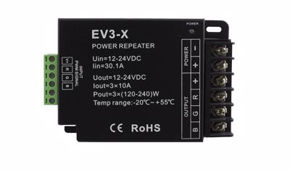
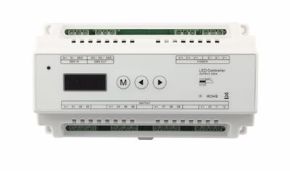
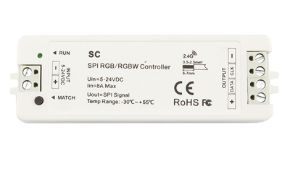
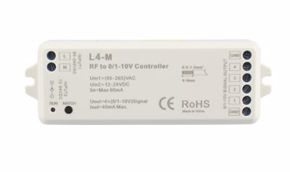

The LED FAQs found on this page cover the entire life cycle of an installation with LED strips: choosing the strip, working voltage, calculating power and amperes, sizing power supplies, mechanical installation in profiles, configuring controllers, IP protection, light quality, European regulations, and troubleshooting. Each FAQ is contained within an expandable accordion: click on the question to read the answer without losing track.
If you are an installer, you will find operational answers; if you are a designer, you will find sizing criteria and regulatory references; if you are a retailer or an advanced enthusiast, you will find the explanations needed to advise and choose well. Before starting with the technical FAQs, however, let's clarify a point that many ask us: what exactly are FAQs?
In this article...
1. What does FAQ mean and what are technical FAQs
Before diving into the core of LED strip installation FAQs and LED strip configuration FAQs, it is worth spending a few lines on the term itself. It is a word we use every day, appearing at the bottom of almost all websites and in product manuals, but few know how to explain it properly. Understanding what FAQs are also helps you understand why this format is so effective when discussing lighting systems.
What does FAQ mean: the acronym explained
FAQ is the acronym for the English "Frequently Asked Questions," which translates to "domande frequenti" (frequent questions) or "domande poste di frequente" (questions asked frequently). It is pronounced either letter by letter (effe-a-cu, or in English "ef-ei-kiù") or as a single word ("fak"). The acronym was born in early online communities of the eighties: on mailing lists and Usenet, the same questions kept coming up, so moderators started collecting recurring questions with their answers in a single document to consult before writing. You can learn more about the origin of the term on the FAQ Wikipedia entry.
What FAQs are today
Today, FAQs are a standard section of websites, product sheets, user manuals, and technical catalogs. Their function is twofold: on one hand, they save time for those looking for information, on the other, they reduce the load on customer support, which does not have to answer the same query a hundred times. A good FAQ page is organized by topics, uses questions formulated as users would actually ask them, and provides short but complete answers, with links to more extensive insights.
What technical FAQs mean and why they are different
Technical FAQs are a specialized subset: they do not concern shipping, returns, or payments (for those, see the Ledpoint FAQ page and information on delivery and payment methods), but rather the operation, sizing, and installation of products. A well-written technical FAQ must contain numbers, formulas, and selection criteria, not just generic statements. Therefore, in this guide, each answer aims to give you concrete value: a safety margin, a cable section, a maximum distance, a calculation example.
Characteristics of a good technical FAQ
In our experience, the most useful technical FAQs have four characteristics: they answer directly in the first sentence, explain the physical reason behind the answer, provide a numerical example, and indicate the correct product or insight. This is the schema we followed throughout the page, making it useful both for those reading it on-site via smartphone and for those consulting it in the office during design.
Why FAQs are important for search engines and artificial intelligence too
FAQs also have discoverability value: search engines and AI-based assistants prioritize content structured in question-and-answer format, as it matches how people formulate their searches ("how many amperes does a 5-meter LED strip draw?"). Structured data of type FAQPage from Schema.org helps automated systems recognize question-answer pairs. But the true criterion remains one: the answer must be correct and useful for the reader.
2. LED Strips: data, trends, and why frequent questions are increasing
LED strips have transitioned in just a few years from a decorative element to a primary light source. This change has multiplied the frequent questions from operators, because a functional lighting system requires more rigorous calculations than simple accent lighting. Let's look at some context data and the trends we observe daily in customer requests.
A constantly growing market
Major market research firms estimate for the global LED strip sector a compound annual growth rate (CAGR) generally between 10% and 15% over the period leading to the end of the decade, driven by residential construction, retail, hospitality, furnishings, and the automotive and nautical sectors. Estimates vary between institutions, but the trend is consistent: linear LED lighting is one of the most dynamic segments of illumination. As confirmed by the trends reported by our clients, demand is shifting towards high-efficiency, high-CRI, and smart-controlled products.
Technical trends generating new FAQs
Every innovation brings with it new frequent questions. Here are the trends that, according to our observatory, are generating the most queries:
| Trend | What changes for the installer | Most frequent related FAQ |
|---|---|---|
| COB strips without dots | Continuous line of light even without a deep diffuser | Is a profile with a diffuser still needed? |
| Shift from 12V to 24V and 48V | Longer runs, thinner cables, fewer power supplies | How many meters can I power from one side? |
| Adjustable white light (CCT) and circadian | Two-channel controllers, color temperature management | How do I connect a CCT strip? |
| Addressable LED pixels | SPI controllers, data signal, separate power | What is the difference between RGB and RGBIC? |
| Home automation (ZigBee, DALI, app) | Integration with voice assistants and building automation | Can I control the strip with Alexa or Google? |
| ErP Regulation and EPREL label | Documentary obligations and energy class | What energy class does my strip have? |
| Constant current strips for 12V battery-powered | Stability in campers, boats, and off-grid systems | Why does the light vary when I start the engine? |
What are the most recurrent frequent questions: our ranking
Analyzing technical support requests, we compiled an indicative ranking of the most requested thematic areas. Nearly half of the questions concern power supply, voltage, and load calculation: this is where the most costly errors concentrate.
| Thematic Area | Indicative Weight on Requests | Risk if Ignored |
|---|---|---|
| Power Supplies and Power Calculation FAQs | Approx. 25% | Overheating, shutdowns, faults |
| Voltage and Voltage Drop FAQs | Approx. 20% | Non-uniform light, wrong colors |
| Installation and Profiles FAQs | Approx. 18% | Detachment, visible dots, thermal degradation |
| Configuration and Controllers FAQs | Approx. 15% | Unstable dimming, flicker |
| IP Protection and Outdoors FAQs | Approx. 10% | Infiltrations, oxidation |
| Light Quality and Regulations FAQs | Approx. 12% | Client complaints, non-compliance |
Indicative values based on our technical support experience, useful for understanding where to focus attention during the project phase.
3. How to consult these technical FAQs
We have organized the FAQs following the logical order of a real project: first you choose the strip, then decide the voltage, calculate power and current, choose the power supply, install, configure control, protect, and finally verify. You can read the guide from beginning to end or jump directly to the section that interests you from the index.
How the accordions work
Each question is an accordion: click on the question text to open the answer and click again to close it. Accordions work on any modern browser, from desktop and smartphone, without needing additional scripts.
Symbols and units we will use
In the answers, we will always use the same electrical quantities. We summarize them here for convenience, with a link to official definitions for those who want to review.
| Symbol | Quantity | Unit | Practical Meaning |
|---|---|---|---|
| V | Voltage | volts | The electrical "push": 12V, 24V, 48V |
| I | Current | amperes (A) | The amount of electricity flowing through the cables |
| P | Power | watts (W) | The energy absorbed every second |
| W/m | Linear power | watts per meter | How much each meter of strip absorbs |
| lm/m | Luminous flux linear | lumens per meter | How much light each meter emits |
| lm/W | Luminous efficacy | lumens per watt | How much light is obtained per watt |
| K | Color temperature | kelvin | Tone of white light, from warm to cool |
The relationship linking these quantities is only one and we will use it continuously: P = V × I, therefore I = P ÷ V. Together with Ohm's law, it is the basis for almost all Power and Ampere FAQs you will find later.
4. FAQs on choosing LED strips
Choosing the strip is the first step and conditions everything else: voltage, power supply, profile, and controller derive from this. A poorly chosen strip cannot be corrected with a better power supply. In this section, we answer frequent questions about chip types, density, luminous flux, colors, and special lines. If you want a complete overview of the catalog, start from the LED strips category.
How to read the code of an LED strip
Product sheets report a series of data points that, once understood, make choice much faster: chip model (2835, COB, 2216, 3838...), number of LEDs per meter, power in W/m, voltage, IP rating, color temperature, CRI, and cutting pitch. Reading the technical sheet well is the first rule for every professional installer. Let's take as an example the LED strip 5m white 4000K 3step 2835 238 LED/m 24V 19.2W/m: 2835 chip, 238 LEDs per meter, 24V, 19.2 W/m, approx. 2600 lm/m with an efficiency of 150 lm/W, chromatic tolerance at 3-step MacAdam, and cutting every 2.94 cm.
Table: from code to choice
| Data in Sheet | What it tells you | How it influences the project |
|---|---|---|
| Chip (e.g., 2835, COB) | Size and technology of the LED | Efficiency, uniformity, dotted effect |
| LED/m | Density of light points | Uniformity in profile, cutting pitch |
| W/m | Power per meter | Power supply, cable section, heat dissipation |
| V | Working voltage | Maximum length of the run |
| lm/m and lm/W | Light emitted and efficiency | Illumination obtained and consumption |
| K and CRI | Tone and color fidelity | Visual comfort and material rendering |
| IP | Protection from dust and water | Permitted installation environment |
| Cutting Pitch | Every how many cm it can be cut | Precision of final length |
Frequent questions on strip choice
FAQ – What is the difference between an SMD LED strip and a COB strip?SMD strips mount discrete LEDs soldered onto the board at a certain distance from each other (e.g., 2835 chips). COB (Chip On Board) strips have hundreds of closely spaced micro-chips covered by a continuous layer of phosphors. The result of COB is a homogeneous line of light, without the classic dotted effect, with a very wide emission angle, around 180°. SMDs generally offer higher efficiencies and more power choices; COBs are ideal when the profile is shallow or the strip is exposed. You find both families in the categories 2835 LED strips and COB LED strips. |
FAQ – How many LEDs per meter are needed to avoid seeing the dots?It depends on the distance between the strip and the diffuser. With 60 LED/m, deep profiles and very opal diffusers are needed; with 120 LED/m, good uniformity is already achieved in medium-depth profiles; from 240 LED/m upwards, the effect is almost continuous even in thin profiles. If you want a perfectly continuous line even without a diffuser, choose a COB. You can filter by density in the LED strips by LED/m category. |
FAQ – How many lumens per meter are needed to illuminate a room?For accent and scenic lighting, 300–600 lm/m is sufficient. To illuminate work surfaces (kitchens, desks, counters), go up to 800–1500 lm/m. For primary lighting of a room, reach 1500–2500 lm/m and beyond, depending on height and required illuminance in lux. The correct method is to start from the lux needed on the surface and work back to lumens. We explain this in the article how to calculate the lux of an LED installation. |
FAQ – Does more watts per meter always mean more light?No. The light emitted depends on power multiplied by efficiency. A 14.4 W/m strip at 100 lm/W emits approx. 1440 lm/m; a 12 W/m strip at 150 lm/W emits approx. 1800. Always compare lumens per meter and lumens per watt, not just watts. A more efficient strip consumes less, heats less, and lasts longer. |
FAQ – Which color temperature to choose for home, shop, and office?In residential settings, 2700–3000K is predominantly used, giving warm and welcoming light. In offices and workspaces, 3500–4000K is preferred, more neutral and stimulating. In laboratories, technical environments, and some display windows, go up to 5000–6500K. You find ranges in warm white 2200–3500K, white 3800–5300K, and cool white 5500–8700K. If the use of the environment changes during the day, consider a CCT strip with adjustable white. |
FAQ – What is the difference between RGB, RGBW, CCT, and RGB+CCT?RGB strips mix red, green, and blue to obtain colors, but the white they produce is not very natural. RGBW strips add a dedicated white channel. CCT strips have two white channels (warm and cool) to adjust the tone. RGBCCT strips combine colors and adjustable white on five channels. Each type requires a controller with the same number of channels. |
FAQ – What are addressable or pixel LED strips?These are strips where each segment (pixel) can be controlled individually thanks to an integrated control chip (e.g., WS2811, WS2814, WS2815). They allow dynamic effects, scrolling, and animations. They only work with dedicated SPI controllers, not normal RGB controllers. An example is the LED pixel strip RGB + warm white COB WS2814 IP65 24V, with 14 pixels per meter. Explore the addressable LED strips (Pixel LED) category. |
FAQ – Are there specific LED strips for food, plants, or special applications?Yes. There are strips with spectra designed to enhance meat, bread, or fresh produce in display cases, strips for indoor cultivation, infrared and ultraviolet strips. The right spectrum enhances goods without altering them or heating them. You find them in the categories light for food, growing, infrared, and ultraviolet / UVC. |
FAQ – What are "natural light" and circadian LED strips?These are strips with a spectrum closer to sunlight (Sunled line) or with adjustable white designed to follow the circadian rhythm during the day (Circadian Light line). They are the ideal choice in environments where people spend many hours: offices, schools, healthcare facilities, homes. |
FAQ – Can I bend an LED strip 90° on the plane?Standard strips bend easily vertically (on the side of the board) but not on the plane, because the board would deform, damaging tracks and LEDs. For angles on the plane, cut and connect with corner connectors or cables, or use bendable and adjustable-angle LED strips, with shaped PCB to curve on the plane. Never bend the strip with radii that are too tight, nor near an LED. |
FAQ – What are LED strip "cuts" and is it worth buying them?They are pieces of quality strips, already cut, offered at reduced prices. They are perfect for small jobs, prototypes, shelf backlighting, and maintenance interventions. You can find them in the LED strip cuts category, along with LED strips on offer. |
FAQ – What is the difference between 2835 chips with gold vs silver wires?Inside the LED, the chip is connected to terminals by very thin wires. Gold is more resistant to corrosion and thermal stress, while silver or copper-based alloys are cheaper but more sensitive over time. The quality of internal connections directly impacts the lifespan of the strip. The topic is explored in the article technology of 2835 LED wires: Au and Ag connections. |
FAQ – How long does a quality LED strip last?Professional strips typically declare a useful life of 30,000–50,000 hours and beyond, expressed as L70 or L80 (the point where flux drops to 70% or 80% of initial value). Real duration depends mainly on operating temperature: a well-dissipated strip in an aluminum profile lasts much longer than one glued to wood. The reference for measuring decay is the LM-80 standard, also indicated in the sheets of strips that comply with it. |
5. Voltage FAQs: 5V, 12V, 24V, 48V, and 230V
The supply voltage is the choice that more than any other determines the maximum length of the run, the cable section, and the uniformity of light. Voltage FAQs are absolutely among the most requested frequent questions by installers, and often arise from a problem already on-site: light dimming at the end of the strip. Understanding voltage drop means avoiding the most common error in LED systems.
Why voltage matters so much
At equal power, doubling voltage halves current. Less current means fewer losses in cables and copper tracks of the strip, and thus longer runs with uniform light. This is why the professional market shifted from 12V to 24V and, for large lengths, to 48V. Reference categories are 5V LED strips, 12V LED strips, 24V LED strips, 48V LED strips, and 230V LED strips.
Comparative table of voltages
| Voltage | Current for 5 m at 14.4 W/m (72 W) | Typical Run from One Side* | Recommended Use |
|---|---|---|---|
| 5V | 14.4 A | 1–2 m | Pixel LEDs, small objects, USB power |
| 12V | 6 A | 3–5 m | Campers, marine, battery systems, small furniture |
| 24V | 3 A | 5–10 m | Professional standard for furnishing and architecture |
| 48V | 1.5 A | 10–30 m | Long lines, primary lighting, large surfaces |
| 230V | approx. 0.3 A | up to 50 m | Outdoors and large lengths where distributing power supplies is not possible |
*Indicative values: actual length depends on power per meter, width of copper tracks, and accepted tolerance. Always refer to the product technical sheet.
Frequent questions on voltage
Voltage FAQ – Is a 12V or 24V LED strip better?For fixed installations powered by mains, 24V is almost always the best choice: at equal power, it draws half the current, suffers less voltage drop, and allows longer runs with thinner cables. 12V remains the natural choice when the source is a 12V battery (campers, boats, vehicles) or when replacing an existing system. |
Voltage FAQ – What is voltage drop and how do you recognize it?Voltage drop is the loss of volts occurring along cables and copper tracks due to their resistance. It is recognized because light is brighter near the power supply and gradually dims towards the end; in white strips, the color may shift slightly, in RGB, white tends towards red. It is countered by increasing voltage, powering from both sides, or using parallel power lines. |
Voltage FAQ – Up to how many meters can I power a strip from one side?As a practical rule: 12V up to 5 meters, 24V up to 5–10 meters, 48V up to 20–30 meters, always depending on power per meter. Beyond these lengths, it is advisable to power from both ends or create intermediate injections with adequately sized cables. High-power strips (over 19 W/m) require shorter runs. |
Voltage FAQ – Can I connect multiple 5-meter reels in series one after another?It is not recommended. Connecting multiple reels in cascade causes the current of the whole line to pass through the tracks of the first section, which are not sized to withstand it: besides voltage drop, there is a risk of overheating the tracks. The correct rule is parallel connection: each reel receives its own power cable from the power supply or distribution terminal block. |
Voltage FAQ – When is it worth switching to 48V LED strips?When the strip becomes primary lighting over significant lengths: corridors, perimeter coves, open-space offices, shops. At 48V, current is a quarter compared to 12V and allows runs of tens of meters with a single power supply. Learn more in the article dedicated to characteristics of 48V LED strips and pair with 48V power supplies. |
Voltage FAQ – Are 230V LED strips safe?They are safe if installed correctly by qualified personnel, because they work directly at mains voltage. They require a dedicated rectifier or driver, original closing caps, no intervention under voltage, and compliance with electrical standards. They have the advantage of covering large lengths without intermediate power supplies, but the cutting pitch is very long (often 50–100 cm) and they are not suitable for furniture or places accessible to contact. To reduce flickering, there are anti-flicker 230V drivers. |
Voltage FAQ – Can I power a 24V strip with a 12V power supply (or vice versa)?No. With 12V, a 24V strip stays off or emits very weak and unstable light; with 24V, a 12V strip burns out in seconds. The power supply voltage must always match that of the strip. Check the labels of both before testing. |
Voltage FAQ – Why does my 12V strip in the camper change brightness when I start the engine?Because the vehicle system is not fixed at 12V: with the alternator charging, voltage rises to 13.8–14.4V, with a discharged battery, it drops below 12V. Traditional resistive strips follow these variations. The solution is strips with constant current control systems, which stabilize light over a wide voltage range: for example, the COB LED strip 4000K 12V 4.8 W/m with current control, designed to work between 11 and 18V. See the category LED strips with constant current control. |
Voltage FAQ – What voltage tolerance does an LED strip accept?Ledpoint sheets report tolerance in the format "24V (+0%, −15%)": this means the strip must never receive more than the nominal voltage, while it can work correctly down to about 15% less, with proportional reduction in brightness. Therefore, power supplies with trimmers should never be adjusted above the nominal value. |
Voltage FAQ – What are 5V strips used for?They are used primarily for addressable pixel LEDs, small luminous objects, educational installations, and USB power supplies. At 5V, current is very high, so runs must be very short and power injections frequent. Pair them with 5V power supplies. |
6. Power and Ampere FAQs: calculations and formulas
Calculating power and current is the heart of every LED strip project. From these two numbers depend the size of the power supply, the cable section, the choice of controller, and even the upstream circuit breaker. The Power and Ampere FAQs in this section provide simple formulas and pre-calculated tables, to use in the office or directly on-site.
The three formulas to remember
You need only three formulas to handle 90% of real cases:
| What you calculate | Formula | Example |
|---|---|---|
| Total power of the strip | P = W/m × meters | 14.4 W/m × 5 m = 72 W |
| Absorbed current | I = P ÷ V | 72 W ÷ 24 V = 3 A |
| Minimum power of the power supply | P alim = P × 1.2 (20% margin) | 72 W × 1.2 = 86.4 W → 100 W |
Quick table: power and amperes for 5-meter reels
This table summarizes the most common cases. These are nominal values at maximum brightness, those to use for sizing. You can filter the catalog by power in the LED strips by power category.
| Power per Meter | Power 5 m | Amps at 12V | Amps at 24V | Amps at 48V | Recommended Power Supply |
|---|---|---|---|---|---|
| 4.8 W/m | 24 W | 2.0 A | 1.0 A | 0.5 A | 30–35 W |
| 9.6 W/m | 48 W | 4.0 A | 2.0 A | 1.0 A | 60 W |
| 14.4 W/m | 72 W | 6.0 A | 3.0 A | 1.5 A | 100 W |
| 19.2 W/m | 96 W | 8.0 A | 4.0 A | 2.0 A | 120–150 W |
| 24 W/m | 120 W | 10.0 A | 5.0 A | 2.5 A | 150 W |
Table: cable section and maximum length
The cable between power supply and strip introduces its own voltage drop, calculable with the formula ΔV = 2 × L × I × ρ ÷ S, where L is the cable length in meters, I is current in amperes, S is section in mm², and ρ is the resistivity of copper (approx. 0.0175 Ω·mm²/m). The factor 2 accounts for outgoing and return paths. In quality projects, a maximum drop of 3% on the cable is accepted.
| Voltage / Current | Cable 0.75 mm² | Cable 1.5 mm² | Cable 2.5 mm² |
|---|---|---|---|
| 24V – 3 A | approx. 5 m | approx. 10 m | approx. 17 m |
| 24V – 6 A | approx. 2.5 m | approx. 5 m | approx. 8.5 m |
| 12V – 6 A | approx. 1.3 m | approx. 2.5 m | approx. 4.3 m |
| 48V – 3 A | approx. 10 m | approx. 20 m | approx. 34 m |
Maximum cable lengths (one way) for a 3% drop. Rounded values. You find cables of different sections in the cables for LED strips category.
Frequent questions on power and amperes
Power FAQ – How do I calculate the total power of a system with multiple strips?Sum the powers of each section: meters × W/m of each strip. If strips are of different types or controlled by different channels, also calculate power per single channel, as this will be the data to compare with the controller capacity. Example: 3.2 m of 14.4 W/m + 4.5 m of 9.6 W/m = 46.08 W + 43.2 W = 89.28 W total. |
Power FAQ – Why is measured power different from declared power?Declared power refers to nominal voltage and full brightness. If real voltage is slightly lower, if the strip is dimmed, or if it is very hot, absorbed power changes. For sizing, always use the nominal sheet value, which represents the worst-case scenario. Furthermore, consumption at the socket includes the efficiency of the power supply (typically 85–93%). |
Ampere FAQ – How many amperes does a 5-meter LED strip draw?Divide total power by voltage. A 5 m reel at 14.4 W/m draws 6 A at 12V, 3 A at 24V, and 1.5 A at 48V. For RGB and RGBW strips, calculate power for each channel: maximum current occurs with all channels on at 100% (full white). |
Ampere FAQ – Why are amperes so important for cables?Because voltage drop and conductor heating depend on current, not power. Two 72 W strips behave completely differently at 12V (6 A) and 24V (3 A): the former requires double-section cables to achieve the same voltage drop. This is why higher voltages simplify systems. |
Power FAQ – How much does an LED strip consume in a year?Multiply power in kW by annual hours of operation. Example: 72 W = 0.072 kW, on for 5 hours a day for 365 days = 131.4 kWh per year. With an indicative cost of €0.25/kWh, you spend approx. €33 per year, adding power supply losses. Dimming to 50% reduces consumption proportionally. |
Power FAQ – Does a more powerful strip heat up more?Yes. Part of the absorbed power transforms into heat that must be dissipated. Above approx. 10 W/m, an aluminum profile is strongly recommended; above 19 W/m, it is indispensable. A LED working hot loses efficiency, changes color, and ages faster. |
Ampere FAQ – How do I calculate amps for an RGB or RGBCCT strip?Sheets report power per channel (e.g., "12 W/m + 5 W/m + 5 W/m" for the COB LED strip RGB+CCT 2700–6500K 24V 22 W/m). Calculate current for each channel to verify controller capacity, and total current to choose the power supply. In many RGBCCT systems, channels are never all at maximum simultaneously, but prudent sizing considers the worst case. |
Power FAQ – What does it mean that a strip is "dimmable"?It means its brightness can be adjusted by varying supplied energy, typically via PWM (pulse-width modulation). Constant voltage strips are all dimmable with a suitable controller. Dimming does not reduce the maximum current to consider in the project, because eventually the strip will be turned on at 100%. |
7. Power Supply and Driver FAQs
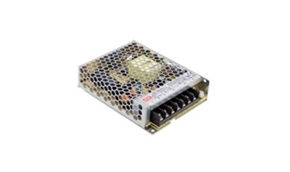
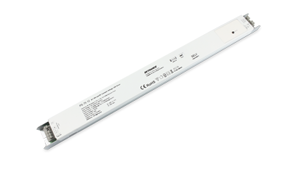
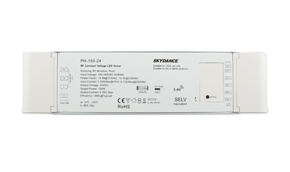
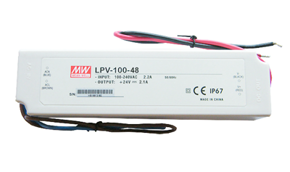
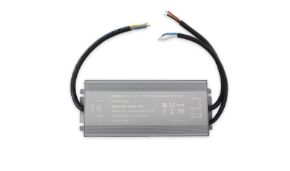
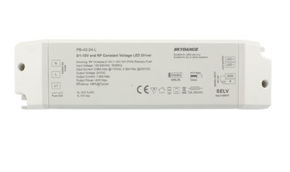
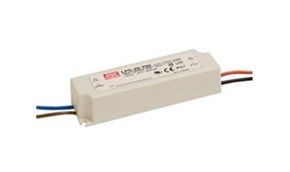
The power supply is the most stressed component of the system and, statistically, the one that fails first when undersized or poorly ventilated. The Power Supply FAQs collected here help you choose the right size, correct protection rating, and technology suited to the type of control. All solutions are available in the power supplies for LED strips category.
Constant voltage and constant current: the first distinction
Traditional LED strips are constant voltage loads: they require a power supply providing stable 12V, 24V, or 48V, regardless of the load. Modules and some LED fixtures are instead constant current loads (350 mA, 700 mA...), requiring a dedicated driver. Confusing the two technologies is one of the gravest errors and leads to immediate LED failure. For constant current loads, there are constant current power supplies.
How to choose a power supply: parameters
| Parameter | What to check | Practical Advice |
|---|---|---|
| Output voltage | Equal to that of the strip | 12V, 24V, or 48V, never "approx." |
| Nominal power | Load + margin | Load at 75–85% of nominal power |
| IP Rating | Installation environment | IP20 in dry panels and ceilings, IP67 outdoors |
| Insulation class | Electrical safety | SELV output for low-voltage strips |
| PFC | Power factor | Active PFC for high powers and numerous systems |
| Inrush current | Inrush current | Determines how many power supplies per breaker |
| Dimming | Integrated or external | Dimmable drivers DALI, 0/1-10V, push, or smart |
Frequent questions on power supplies
Power Supply FAQ – By how much should I oversize the power supply?The professional rule is to operate the power supply between 75% and 85% of its nominal power, thus with a 15–25% margin. A power supply always at 100% heats more, ages faster, and may go into protection on hot days. Example: 72 W strip → 100 W power supply. |
Power Supply FAQ – Does a too-large power supply damage the strip?No. A constant voltage power supply provides only the current required by the load: a 150 W unit on a 30 W strip does not damage it. However, it is an inefficient choice, because many power supplies have worse performance at very low loads and cost more. Better to stay in the 75–85% range. |
Power Supply FAQ – Is one large power supply or many small ones better?It depends on the distribution of strips. One central power supply simplifies maintenance but requires longer and thicker cables; multiple power supplies near the strips reduce voltage drops and limit the impact of a potential fault. In projects with long 24V lines, the best solution is often one power supply per zone. |
Power Supply FAQ – Can I connect two power supplies in parallel on the same strip?No, unless models expressly designed for parallel operation. Two power supplies with slightly different voltages will "fight" and one will end up overloaded. If a long strip requires multiple power supplies, divide the system into electrically separated segments, interrupting the positive between one segment and the next. |
Power Supply FAQ – What IP rating should the power supply have?IP20 for installations in dry, protected places (panels, ceilings, technical compartments). IP44–IP65 for humid or semi-exposed environments. IP67 for outdoors or environments with possible water presence. Remember that an IP67 power supply dissipates heat only through the casing: it must be installed in a ventilated position. |
Power Supply FAQ – Where can I install the power supply?In a ventilated, inspectable, and maintenance-accessible point, as close as possible to the strip to reduce low-voltage cable length. Never closed in sealed spaces without air exchange, never in contact with thermal insulators, never in positions unreachable without dismantling furniture or fixed ceilings. |
Power Supply FAQ – Why does the circuit breaker trip when turning on?Due to inrush current: upon startup, power supply capacitors draw a current peak for milliseconds. With many power supplies on the same line, peaks sum up. The solution is to consult the power supply sheet, which indicates how many devices to connect per breaker based on the curve (B or C), or use inrush limiters. |
Power Supply FAQ – What are smart power supplies?They are power supplies with integrated control (e.g., via radio, ZigBee, or app), allowing you to turn on, dim, and program the strip without a separate controller. They reduce components and wiring, ideal in residential renovations. You find the range in smart power supplies. |
Power Supply FAQ – I have flickering with dimming: does it depend on the power supply?Often yes. Cheap power supplies with high ripple or PWM dimming at low frequency generate flicker, visible to the naked eye or in smartphone recordings. Choose quality power supplies and controllers with high-frequency PWM. For 230V strips, there are anti-flicker drivers. |
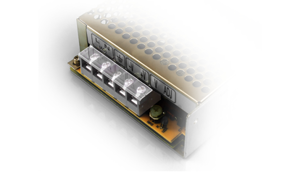
Power Supply FAQ – What accessories are needed to install power supplies?Terminal covers, cable glands, mounting brackets, junction boxes, and distribution terminals make installation safer and tidier. A power supply with exposed terminals in an accessible place is not a proper installation. You find everything in accessories for power supplies. |
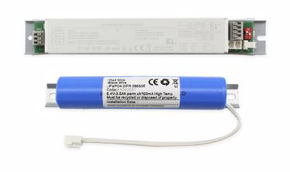
Power Supply FAQ – Can LED strips be used for emergency lighting?Yes, pairing them with dedicated emergency devices that, in case of blackout, power the strip from battery for the expected time. Sizing must respect the power allowed by the kit and safety lighting regulations. Consult the emergency lighting category. |
Power Supply FAQ – Which power supply do I use for 12V and 24V strips?Choose a model with the same nominal voltage and adequate power with the recommended margin. Reference ranges are 12V power supplies and 24V power supplies, available in various powers, IP ratings, and formats (DIN rail, slim for furniture, waterproof for outdoors). |
8. LED Strip Installation FAQs
A quality strip poorly mounted gives worse results than a cheap strip well mounted. LED Strip Installation FAQs collect practical tips that make the difference between a job lasting ten years and one returning to service after a few months: surface preparation, adhesives, cuts, soldering, cable routing, and testing.
Phases of a proper installation
Every professional installation follows a precise sequence. Skipping a phase, especially bench testing, risks having to dismantle everything.
| Phase | Activity | Typical Error to Avoid |
|---|---|---|
| 1. Survey | Measurements, power points, power supply location | Not planning access for maintenance |
| 2. Bench Test | Turn on the reel before mounting | Discovering a defect after gluing |
| 3. Preparation | Cleaning and degreasing profile or surface | Gluing on dust, grease, or paint |
| 4. Cutting | Only at indicated cut points | Cutting between two points, breaking the circuit |
| 5. Connections | Connectors or soldering, respecting polarities | Reversing + and − or color channels |
| 6. Placement | Gluing in profile without mechanical tension | Pulling the strip stretching the PCB |
| 7. Final Test | Verification of voltage at end of line and uniformity | Delivering without measuring |
Frequent questions on installation
LED Strip Installation FAQ – Where can I cut the LED strip?Only at the cut points, marked by a line (often with scissors symbol) between two copper pads. The cutting pitch is indicated in the sheet: e.g., every 5 cm, every 2.94 cm, or every 2.5 cm. Cutting elsewhere breaks an LED group, which will remain off. For a clean cut, use sharp scissors or dedicated tools. |
LED Strip Installation FAQ – How do I make the double-sided tape adhere well?Ledpoint strips mount professional double-sided tapes (e.g., 3M 9495LE). For optimal bonding, strip and surface temperature must be between 21 and 38°C, and complete fixation is reached after approx. 72 hours. The surface must be clean, dry, and degreased (e.g., with isopropyl alcohol). Double-sided tape does not guarantee hold on painted surfaces: in that case, use an aluminum profile. |
LED Strip Installation FAQ – Can I glue the strip directly on wood or plasterboard?Technically yes for low-power strips (up to approx. 5–7 W/m), but wood and plasterboard are thermal insulators: the strip works hotter and lasts less. Furthermore, double-sided tape tends to detach on porous surfaces. For higher powers and durable installations, always use an aluminum profile, which acts as a heat sink and support. |
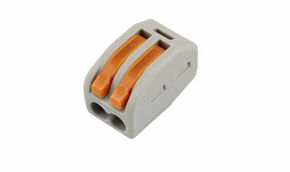
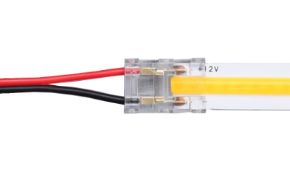
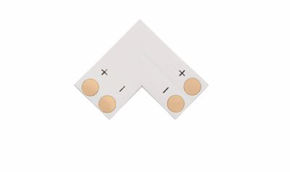
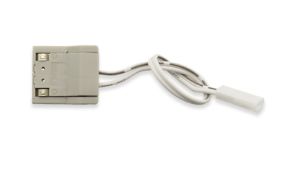
LED Strip Installation FAQ – Is it better to solder or use quick connectors?Soldering, done well, is the most reliable and compact connection, indispensable in thin profiles. Quick connectors are faster and require no equipment, but must be of exact PCB width and correct pole count. For high-power strips or vibrating environments (marine, vehicles), soldering protected by heat shrink tubing is preferable. See PCB connectors for LED strips and solder joints. |
LED Strip Installation FAQ – How do you correctly solder an LED strip?Use a temperature-controlled iron (approx. 320–350°C), quality flux solder, and previously tinned cables. Contact with the pad should last seconds: prolonged heat can damage the PCB and nearby LEDs. Then protect the joint with heat shrink tubing or dedicated caps, especially in IP65 and IP67 strips. |
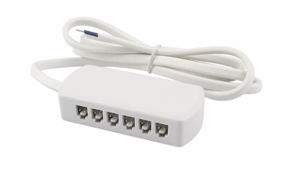
LED Strip Installation FAQ – How do I route cables cleanly?Plan cable path from the design stage: holes in profiles, exits from drilled caps, passages in furniture. A good installation shows no exposed cables nor connections under mechanical tension. For furniture, multiple quick sockets are very useful, distributing power to multiple strips from a single point. |
LED Strip Installation FAQ – How do I illuminate shelves and bookcases?The typical solution involves small-section profiles recessed or applied under shelves, high-density strips, and hidden power. A proximity sensor or touch switch makes usage natural. You can see a real example in the article lighting a bookcase. |
LED Strip Installation FAQ – How do you install strips in furniture with adjustable shelves?With electrified rails: vertical guides powered in low voltage on which shelves hook taking power in any position. They eliminate flying cables and allow moving shelves without rewiring. Complete with rail accessories. |
LED Strip Installation FAQ – How do I illuminate a mirror?Use a perimeter profile or aluminum frame with diffuser, high-CRI strips, and a touch dimmer integrable behind the mirror. High CRI is fundamental so the face is seen with natural colors. Discover the aluminum frame for mirrors for LED strips and mirror dimmers. |
LED Strip Installation FAQ – Can I install LED strips in a wellness center or spa?Yes, choosing strips with protection rating adequate for humidity (IP65 or IP67), power supplies positioned in dry zones, and profiles with sealed diffusers. In these environments, low voltage SELV is a fundamental safety requirement. A concrete case is described in the article lighting a wellness center. |
LED Strip Installation FAQ – How do I verify the installation is correct?With a multimeter, measure voltage at the start and end of each section with strips on max. A difference within 5% is acceptable; beyond 10%, voltage drop becomes visible and must be corrected with power injections or thicker cables. Also check profile temperature after one hour of operation. |
LED Strip Installation FAQ – How do I manage a large order divided by rooms?In projects with many rooms, it is useful to subdivide materials already at order stage. Ledpoint offers the "manage group" function, allowing organization of articles based on destination rooms: explained in the article advantages of the manage group function. |
9. LED Strip Configuration FAQs: controllers, dimmers, and protocols
Once installed, the strip must be controlled: turning on, dimming, colors, scenarios, integration with home automation. LED Strip Configuration FAQs are those changing fastest, following the evolution of control protocols. Here you find answers on monochrome, RGB, CCT, DALI, DMX, 0/1-10V, ZigBee, SPI controllers, and sensors. Catalog starting point is the controllers category.
Table: which controller for which strip
| Strip Type | Channels | Suitable Controller |
|---|---|---|
| Monochrome (white or fixed color) | 1 | Monochrome controllers |
| CCT (adjustable white) | 2 | CCT controllers |
| RGB | 3 | RGB controllers |
| RGBW | 4 | RGBW controllers |
| RGB+CCT | 5 | RGB+CCT controllers |
| Pixel / Addressable | SPI Data | SPI controllers |
Frequent questions on configuration
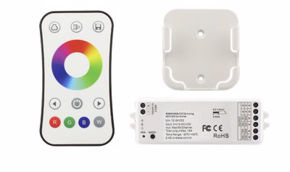
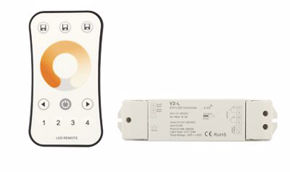
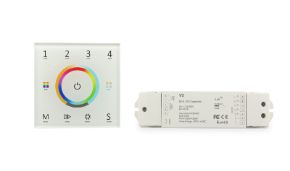
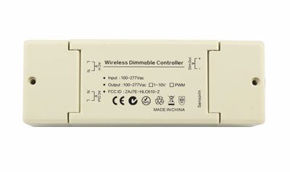
LED Strip Configuration FAQ – How do I choose the right controller?Check three things: number of channels (equal to strip's), working voltage (12/24/48V), and maximum current per channel, which must be higher than that absorbed by the strip on that channel. Then choose command type: remote control, wall panel, app, DALI, DMX, or ZigBee. |
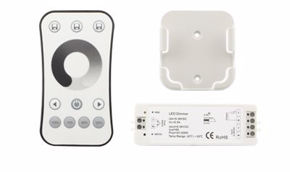
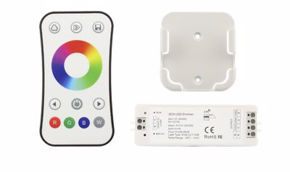
LED Strip Configuration FAQ – What is the difference between controller, receiver, and remote?The receiver is the wired module between power supply and strip executing commands; the remote (or panel) is the transmitter used by the user; the "controller" is often the complete kit. Receivers and remotes must belong to the same family and radio system to be paired. For example, for monochrome you find dedicated receivers, remotes, and dimmers. |
LED Strip Configuration FAQ – How do I connect a CCT adjustable white strip?A CCT strip has three conductors: one common positive and two negatives (one for warm white, one for cool). The CCT controller separately adjusts the two channels to obtain all intermediate tones and brightness. Respect markings on PCB: reversing channels is not harmful but reverses adjustment behavior. |
LED Strip Configuration FAQ – What are DALI and DMX and when are they needed?DALI is a digital protocol for lighting management in buildings (offices, hotels, shops), allowing individual addressing of each fixture. DMX512 originated in show business and is ideal for dynamic and scenic effects. To connect LED strips to these systems, DMX and DALI decoders are needed, translating digital signal to PWM command. |
LED Strip Configuration FAQ – What is 0/1-10V control?It is an analog system where a control voltage between 0 (or 1) and 10V determines brightness. It is widespread in building automation systems and daylight sensors, simple and robust. You find compatible devices in the 0/1-10V category. |
LED Strip Configuration FAQ – Can I control LED strips with Alexa, Google, or an app?Yes, via controllers compatible with ZigBee or Wi-Fi connected to a home automation gateway. With ZigBee, strips become part of a smart home system together with switches, sensors, and scenarios. Explore the ZigBee category and the Skydance world. |
LED Strip Configuration FAQ – What does a signal amplifier do?When an RGB or monochrome controller must command more strips than its maximum current allows, the signal amplifier replicates the command and provides additional current from a second power supply. It is the solution to extend large systems maintaining a single control point and perfect synchronization. |
LED Strip Configuration FAQ – How do I configure a pixel strip with an SPI controller?Connect power and data line respecting the signal direction arrow printed on the strip, set on the controller the chip type (e.g., WS2814), color order, and pixel count. In long strips, bring power to multiple points, but the data line must remain a single continuous path. Compatible controllers are in the SPI controllers category. |
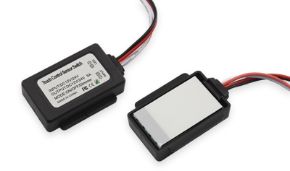
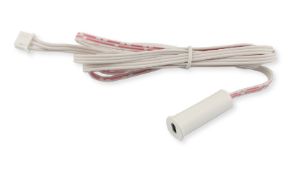
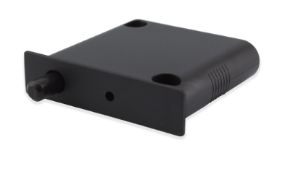
LED Strip Configuration FAQ – What sensors can I use to turn on strips?PIR motion sensors, infrared proximity sensors for doors and drawers, touch sensors for mirrors and shelves, twilight sensors. A well-chosen sensor saves energy and improves user experience, especially in wardrobes, corridors, and kitchens. You find the range in sensors. |
LED Strip Configuration FAQ – What are Kinetic devices?They are switches generating energy for the radio signal from the pressure of the button itself, without batteries or wires. They are perfect for adding control points in renovations without masonry work. You find them in the Kinetic category. |
LED Strip Configuration FAQ – Can I use a traditional 230V wall dimmer?Only if the power supply is declared compatible with that dimmer type (TRIAC, phase-cut). With non-dimmable power supplies, you get flickering, humming, and faults. In most cases, it is better to dim in low voltage with a PWM controller or use a power supply with push or 0/1-10V input. |
10. Aluminum Profile and Diffuser FAQs
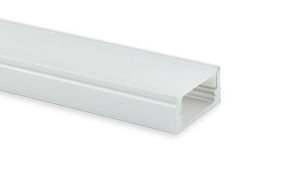
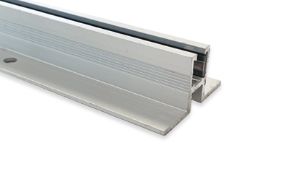
The aluminum profile is not just an aesthetic accessory: it is the heat sink protecting LEDs from heat, the mechanical support ensuring adhesion over time, and the optics transforming a row of dots into a line of light. In the FAQs of this section, we answer all questions on shapes, mounting, diffusers, and profile accessories. The complete range is in the aluminum profiles category.
Profile types
| Type | Mounting | Typical Applications |
|---|---|---|
| Surface | Applied with clips or screws | Under-cabinet, shelves, retrofit |
| Recessed | Milling or groove, with fins | Furniture, floors, plasterboard |
| Corner | 45° mounting | Showcases, wardrobe corners, steps |
| Suspended | With suspension cables | Offices, meeting tables, retail |
| Plasterboard | Integrated in slab | Architectural light lines |
| Walkable and Outdoor | Floor recessed | Paths, stairs, outdoors |
Frequent questions on profiles and diffusers
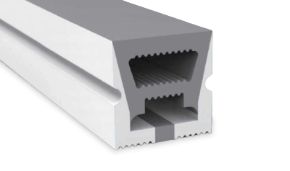
Profile FAQ – Is the aluminum profile really necessary?For strips over approx. 10 W/m, it is strongly recommended; over 19 W/m, it is indispensable. Aluminum acts as a heat sink: reducing LED junction temperature, preserving luminous flux, color, and lifespan. Furthermore, it protects the strip from impacts and dust and offers an ideal surface for double-sided tape. Discover profiles for LED strips. |
Profile FAQ – Which diffuser to choose: clear, satin, or opal?Clear lets almost all light through but shows LED dots; satin (frosted) attenuates dots maintaining high transmission; opal diffuses very uniformly but absorbs more light. Choose opal for perfectly homogeneous lines, satin as compromise, clear when maximum yield counts or a COB is used. See diffusers. |
Profile FAQ – How much light do I lose with an opal diffuser?Depending on thickness and material, an opal diffuser can significantly reduce luminous flux, often around 20–40% compared to bare strip, while clear or satin diffusers lose much less. In design, always consider the transmittance of the diffuser indicated by the manufacturer, especially when the strip is used as functional light. |
Profile FAQ – How do I avoid bright dots in the profile?Act on three levers: increase distance between strip and diffuser (deeper profiles), use opal diffusers, or increase LED density. With COB strips, dotted effect is absent at source, allowing very thin profiles. Ideal combination depends on available space. |
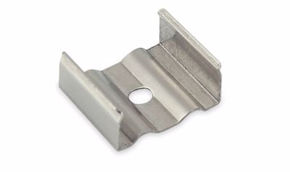
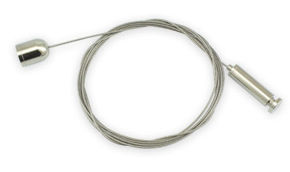
Profile FAQ – How are profiles fixed?With mounting clips (steel or plastic clips screwed to surface, into which profile snaps), with direct screws, structural adhesive, or in suspended profiles, with suspension cables. Clips allow removing the profile for maintenance without damaging the surface. |
Profile FAQ – How do I join two profiles to make long lines or corners?With profile joints, linear or angular, aligning profiles and ensuring mechanical continuity. For a light line without interruptions, offset the diffuser joint relative to the profile joint and verify the strip crosses the joint without tension. |
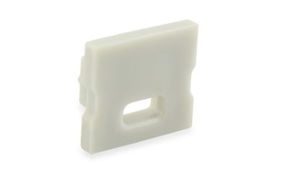
Profile FAQ – What are profile caps for?They close profile ends, complete aesthetics, and in perforated versions allow power cable passage. A well-chosen cap also protects against dust and insect entry. You find the range in the caps category. |
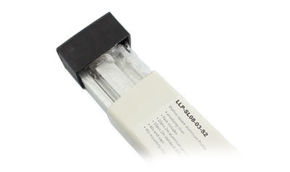
Profile FAQ – Are there ready-made kits of profile and accessories?Yes. Profile and accessory kits include profile, diffuser, caps, and compatible clips, eliminating risk of matching errors. Pre-assembled LED bars also exist, like the opaque 3-meter LED bar with PR-RE16-00 profile and COB strip 24V, ready to install. |
Profile FAQ – Can I order custom profiles?Yes, for special projects, customized profiles are available, with dedicated lengths, machining, and finishes. It is the ideal choice for furniture makers and set-up specialists producing in series wanting to reduce assembly times. |
Profile FAQ – What are tapes for LED strips?They are technical tapes (double-sided, support, or fixing) designed to improve strip adhesion on critical surfaces or inside profiles. They are useful when original double-sided tape is insufficient or needs restoration. You find them in the tapes for LED strips category. |
Profile FAQ – What are display boxes?They are luminous containers or boxes designed for exhibitions and showcases, where LED strips create uniform object lighting. They are widely used in retail and museum setups. See display boxes and the section dedicated to lighting for setups. |
11. Accessories FAQs: connectors, cables, junctions, and caps
Accessories are components most often chosen at the last minute, and precisely for this reason, they cause many malfunctions. A connector of wrong width or an undersized cable can compromise the entire system. FAQs in this section help you choose well. Start from the accessories for LED strips category.
Frequent questions on accessories
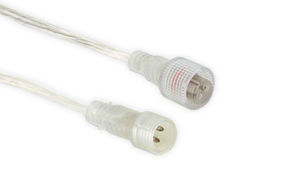
Accessories FAQ – How do I choose the right connector?Verify three data points: PCB width (8, 10, 12 mm...), pole count (2 for mono, 3 for CCT, 4 for RGB, 5 for RGBW, 6 for RGBCCT), and strip IP rating. Connectors for IP20 strips are not suitable for siliconated strips. You find compatible versions in connectors and PCB connectors. |
Accessories FAQ – What cable do I use between power supply and strip?A cable with necessary conductor count and section calculated based on current and length, as seen in Ampere FAQs table. For short runs and low currents, 0.5–0.75 mm² suffices; for high currents or long distances, go up to 1.5–2.5 mm². See range of cables. |
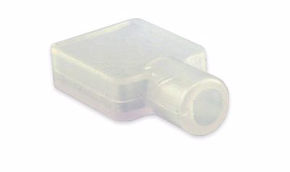
Accessories FAQ – How do I close the end of an IP65 or IP67 strip after cutting?With caps for LED strips of correct size, filled with neutral silicone or specific glue. An open cut nullifies protection rating: moisture enters and oxidizes tracks within weeks. |
Accessories FAQ – How do I distribute power to many strips in a piece of furniture?With multiple quick sockets, allowing connection of multiple strips or sensors to a single power supply via plugs. Wiring becomes tidy, inspectable, and easily modifiable. |
Accessories FAQ – What tools are needed to work with LED strips?Precision scissors, wire strippers, temperature-controlled iron, multimeter, crimping pliers, and profile cutters. A multimeter is indispensable for verifying voltages, polarities, and voltage drops. Consult the tools category. |
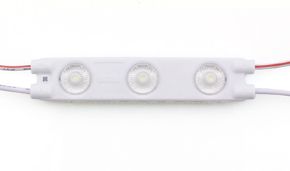
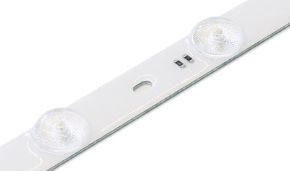
Accessories FAQ – Can I use LED modules instead of strips?For backlighting of signs, cabinets, and light boxes, LED modules and backlighting LED bars are often more effective than strips, because they distribute light uniformly over a surface rather than along a line. See backlighting category. |
12. IP Rating, Outdoors, Bathrooms, and Neon Flex FAQs
Water, humidity, dust, UV rays, and thermal shocks are main enemies of any electrical system. IP protection rating indicates how much a product resists solids and liquids, but must be interpreted correctly: two IP67 strips can behave very differently over time depending on protection technology used. In this section, you find FAQs on outdoors, bathrooms, kitchens, marine, and Neon Flex.
Table of most common IP ratings
The IP (Ingress Protection) code is defined by EN 60529 standard: first digit concerns solids, second liquids.
| IP Rating | Protection | Typical Strip Technology | Where to Use |
|---|---|---|---|
| IP20 | No protection from water | Bare PCB | Dry interiors, closed profiles |
| IP44/IP53 | Splash and limited dust | Light coatings | Protected but not perfectly dry zones |
| IP65 | Water jets, total against dust | Resin or upper silicone | Kitchens, bathrooms (away from direct water), covered outdoors |
| IP67 | Temporary immersion | Extruded silicone tube | Outdoors, showers, marine |
| IP68 | Prolonged immersion | Full sealed silicone | Fountains, pools (with specific products) |
Frequent questions on IP and outdoors
IP FAQ – Which strip do I use for outdoors exposed to rain?Choose IP67 strips with UV-resistant extruded silicone, IP67 power supplies, and sealed connections. Quality silicone protections maintain flexibility and transparency over years, while low-quality glues tend to yellow and detach. An example is the LED strip 2700K 2835 24V 12 W/m IP67 in solid silicone. Learn more in outdoor lighting section. |
IP FAQ – Can an IP65 strip stay in a shower?It is not the correct choice for zones with continuous water contact. In showers, IP67 or higher products, SELV power, and power supply positioned outside wet zones are needed, respecting safety zones predicted by electrical standards for bathroom premises. IP65 is fine above mirror or in protected niches. |
IP FAQ – Can I put an IP20 strip in a profile with diffuser and use it in kitchen?Under cabinets, away from sink and stoves, a closed profile with diffuser offers good practical protection, but system does not acquire certified IP rating. Near steam and splashes, it is advisable to use IP65 strips or profiles with watertight seals. |
IP FAQ – What is the difference between resin and extruded silicone?Resin (or upper silicone glue) protects top part of strip and is cheap, but over time and heat may yellow or detach. Extruded silicone tube completely wraps the strip, ensuring uniform protection, greater durability, and resistance to atmospheric agents. For outdoors and marine, it is the recommended solution. |
IP FAQ – Which strips are needed in marine environments?On boats, IP67 strips resistant to salt spray, stabilized 12V or 24V power, and connections protected from oxidation are needed. Strips with constant current control ensure stable light even with battery voltage variations. Discover the section dedicated to lighting for naval sector. |
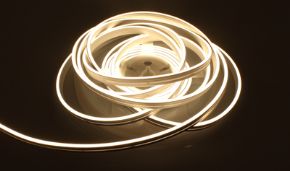
IP FAQ – What is Neon Flex and how does it differ from a strip?Neon Flex is a flexible silicone tube with integrated LED strip and diffuser, emitting a continuous line of light similar to old neon tubes. It is already protected, easily bendable, and ideal for signs, architectural contours, and design. An example is Neon Flex 3x5 mm white 4000K 24V IP65. Explore Neon Flex and flexible LED tubes and the novelty Mini Neon Flex. |
IP FAQ – How do you connect and close a Neon Flex?With connectors, end caps, and fixing clips of the same series. Neon Flex is cut only at indicated points, and each cut must be sealed with cap and silicone to maintain IP rating. You find everything in accessories for Neon Flex. |
IP FAQ – At what temperature can LED strips work?Ledpoint sheets typically indicate operating temperature from −10°C to +45°C. Beyond these limits, especially upwards, LED life rapidly decreases. In hot environments (sunlit showcases, closed compartments, cold cells), choose appropriate products and profiles and verify dissipation. |
13. Light Quality FAQs: CRI, CCT, MacAdam, and Flicker
Two strips with same watts and lumens can produce completely different light. Light quality is measured with parameters like CRI, color temperature, chromatic consistency (MacAdam step), and absence of flicker, and is what end client truly perceives. These technical FAQs are particularly important for designers and lighting designers.
Quality parameters in summary
| Parameter | What it measures | Recommended Value |
|---|---|---|
| CRI (Ra) | Fidelity of illuminated colors | >80 standard, >90 for quality residential, retail, and mirrors |
| R9 | Rendering of saturated reds | Positive and highest possible for meat, skin, wood |
| CCT | Tone of white | 2700–3000K home, 4000K work |
| MacAdam Step | Color uniformity between LEDs and batches | 3 step or lower for visible lines |
| Flicker | Light oscillation | Lowest possible, high-frequency PWM |
Frequent questions on light quality
Light Quality FAQ – What is CRI and why is it important?CRI (Color Rendering Index) measures ability of a source to reproduce object colors naturally, compared to a reference source. A CRI above 90 renders skin, food, fabrics, and wood with faithful colors; below 80, colors appear dull or distorted. Learn more in the article discovering CRI. |
Light Quality FAQ – What does "3-step MacAdam" mean?MacAdam ellipses describe how much two colors can differ before human eye notices difference. A 3-step tolerance means hue variations between LEDs of same batch are practically invisible: fundamental when multiple strips are mounted side-by-side. Read insight MacAdam step and CCT. |
Light Quality FAQ – Why do two "identical" strips have different hues?Because they come from different production batches with different binning, because one works hotter than the other, or because one receives less voltage. For side-by-side light lines, order all material in same batch and choose strips with reduced MacAdam tolerance. Also verify voltage drops are balanced. |
Light Quality FAQ – What is flicker and how do I eliminate it?Flicker is rapid fluctuation of luminous intensity, often linked to low-frequency PWM dimming or power supplies with high ripple. Even if not always visible, it can cause visual fatigue and disturb video recordings. It is reduced with high-frequency PWM controllers, quality power supplies, and anti-flicker drivers. |
Light Quality FAQ – What does LM-80 mean?It is the standard of the Illuminating Engineering Society defining how to measure lumen maintenance of LEDs over time. A strip declaring LM-80 compliance uses LEDs tested for thousands of hours, data allowing reliable estimates of useful life. |
Light Quality FAQ – Which color temperature to use for restaurant or hotel?In welcoming spaces, 2700–3000K with high CRI is privileged, for warm atmosphere and natural colors of food and materials. In service areas and professional kitchens, go up to 4000K for better detail perception. CCT strips allow adapting light to different time slots. |
Light Quality FAQ – What is ice white?It is very cool white light, above 9000K, with bluish tone. It is used in decorative applications, jewelry showcases, technological environments, and scenic setups, rarely as functional light. See ice white LED strips. |
14. Regulations, ErP, EPREL, and Energy Class FAQs
Since 2021, light sources sold in European Union, including LED strips, are subject to new regulations on eco-design and energy labeling. For designers and retailers, knowing these obligations is not a bureaucratic detail but a requirement to work legally. Here are most recurrent frequent questions on ErP, EPREL, and energy efficiency.
Main regulatory references
| Reference | Subject | What it entails |
|---|---|---|
| Regulation (EU) 2019/2020 | Eco-design (ErP / ecodesign) | Minimum efficiency requirements and mandatory information |
| Regulation (EU) 2019/2015 | Energy labeling | Energy classes from A to G |
| EPREL Database | European product register | Registration of light sources and labels |
| EN 60529 | IP protection ratings | Classification of resistance to dust and water |
Frequent questions on regulations
Regulations FAQ – Do LED strips have an energy class?Yes. Like other light sources, LED strips receive a class from A to G calculated on efficiency in lumens per watt. Icons present in Ledpoint sheets indicate the class of each product. Calculation method is explained in the article energy efficiency classes and calculation method. |
Regulations FAQ – Why does an efficient strip have "only" D, E, or F class?Because classes introduced in 2021 are very strict: class A requires efficiencies currently reached by very few products. A D or E class strip is currently a good or excellent efficiency product; scale was designed to leave room for future technological improvements. |
Regulations FAQ – What is the "containing element" foreseen by ErP regulation?It is the product (e.g., furniture or fixture) containing a light source. Regulation establishes specific obligations for those integrating LED strips in their products, particularly regarding replaceability and information to provide. Topic is explained in the article containing element. |
Regulations FAQ – How do I find technical documentation of products?In individual product sheets and Ledpoint catalogs, where technical data, ErP sheets, and declarations are reported. Keeping documentation of components is integral part of a proper system. |
Regulations FAQ – Do low-voltage LED strips require system conformity declaration?When installation is connected to building electrical system, work on 230V part falls under electrical standards and related conformity declaration by qualified installer. Low-voltage SELV side is simpler but must still be done properly. For specific cases, current legislation and opinion of qualified professional prevail. |
15. Faults and Troubleshooting FAQs
Even best-designed system may present a problem: strip not turning on, part off, wrong color. In most cases, cause is trivial and identified in minutes with orderly method and multimeter. These technical FAQs follow diagnostic path used by our technical office on phone.
Quick diagnostic table
| Symptom | Most Likely Cause | Verification |
|---|---|---|
| All off | Power supply, polarity, protection | Voltage output from power supply |
| One section off | Wrong cut, connector, pad | Continuity before and after section |
| Light dimming at end | Voltage drop | Voltage at start and end of line |
| Flashing | Overloaded or protected power supply | Load power vs nominal power |
| Wrong colors (RGB) | Inverted channels or defective connector | Test channel by channel |
| Weak residual light when off | Switch on neutral, leakage, controller | Switch position and wiring |
| Single LED off | Defective LED or solder | Visual inspection and segment replacement |
Frequent questions on faults
Faults FAQ – Strip doesn't turn on: where do I start?Proceed in order: verify 230V arrives at power supply, measure output voltage without load, check + and − polarity on strip, then verify controller and connectors. Directly connecting strip to power supply (excluding controller) immediately tells if problem is upstream or downstream. |
Faults FAQ – Only part of strip turns on: why?Almost always it is a break: a cut outside planned point, connector not making contact, pad damaged by too-long soldering, or excessive bending. Fault point is almost always at start of first off section. Restore with new connector or soldering. |
Faults FAQ – Strip flashes: what happens?Regular flashing often indicates power supply entering and exiting protection due to overload or short circuit. Verify load power is below 85% of power supply's and look for shorts on connectors and soldering. Irregular flashing may depend on loose contact. |
Faults FAQ – RGB strip shows wrong colors: how to fix?Probably channels are inverted between controller and strip. Try one color at a time from remote and verify "red" corresponds to red. If a color is missing entirely, check related conductor and connector. Many controllers also allow reassigning channel order via software. |
Faults FAQ – Strip stays weakly lit even when off: why?Happens when switch interrupts neutral instead of phase, or due to small leakage currents on some power supplies and controllers. Verify switch wiring and compatibility between command and power supply. In CCT and RGB strips, it may also depend on controller not bringing a channel to zero. |
Faults FAQ – Power supply hums or gets very hot: is it normal?Slight warmth is normal; excessive heat or audible humming is not. Typical causes are overload, poor ventilation, or dimming with incompatible dimmer. Reduce load, improve ventilation, or replace power supply with adequate model. |
Faults FAQ – Strip detached from profile after few months: why?Most common causes are unclean surface, application at too-low temperature, lack of uniform pressure during placement, or excessive overheating. Remember optimal conditions: 21–38°C and approx. 72 hours for complete fixation. If necessary, use tapes for LED strips. |
Faults FAQ – Who can I ask for technical support?You can contact Ledpoint team from contacts page, indicating product code, meters installed, power supply used, and symptom description. More data provided, faster and more precise response will be. For returns and warranties, consult return methods. |
16. Final Checklist for Designers and Installers
After reading all FAQs, here is operational summary: a checklist to print or save on smartphone, summarizing essential checks before, during, and after installation. Checking each item takes minutes and can avoid hours of service interventions.
Project checklist
| Check | Question to ask | Reference in FAQs |
|---|---|---|
| Illuminance | How many lux needed and how many lm/m derive? | Section 4 |
| Voltage | 12V, 24V, or 48V based on lengths and source? | Section 5 |
| Power and Amperes | Total power and current per channel calculated? | Section 6 |
| Power Supply | Load at 75–85%, correct IP, ventilated position? | Section 7 |
| Cables | Section calculated for max 3% drop? | Section 6 |
| Profile | Dissipation adequate to power per meter? | Section 10 |
| Control | Controller with adequate channels and current? | Section 9 |
| Protection | IP rating coherent with environment? | Section 12 |
| Light Quality | CRI, CCT, and MacAdam suitable for use? | Section 13 |
| Documentation | Technical and ErP sheets archived? | Section 14 |
Ten most common errors to avoid
These are errors we see most often in support requests. Knowing them in advance is simplest way to avoid committing them.
| Error | Consequence | Solution |
|---|---|---|
| Power supply at 100% load | Overheating and early failures | 15–25% margin |
| Reels connected in series | Voltage drop and overheated tracks | Parallel power |
| Powerful strip without profile | Rapid light decay | Aluminum profile |
| Cut outside planned points | Off segment | Cut only on markers |
| Gluing on dirty or cold surface | Strip detachment | Cleaning and 21–38°C temp |
| Undersized cables | Weak and non-uniform light | Section calculation |
| Undersized controller | Controller failure | Verify current per channel |
| Inadequate IP rating | Oxidation and shorts | IP65/IP67 where needed |
| Unsealed IP67 cuts | Infiltrations | Caps and silicone |
| Different batches side-by-side | Hue differences | Same batch and reduced MacAdam |
Complete sizing example
Let's put everything together with a real case: perimeter cove in living room, 12 meters of 3000K white strip 14.4 W/m, controlled with wall dimmer.
Step 1: Voltage
With 12 meters, 12V would require multiple power points and thick cables. We choose 24V, powering from both sides, or 48V with power from one side.
Step 2: Power and Amperes
12 m × 14.4 W/m = 172.8 W. At 24V: 172.8 ÷ 24 = 7.2 A. At 48V: 3.6 A.
Step 3: Power Supply
172.8 W × 1.2 = 207 W: a 240 W power supply (load at 72%) or two 120–150 W power supplies, one per side, each on electrically separated segment.
Step 4: Cables
With 3.6 A at 24V per segment and 6 meters of cable, table indicates 1.5 mm² section keeps drop around 3%: it is correct choice.
Step 5: Profile and Control
With 14.4 W/m, aluminum profile with opal diffuser is needed for homogeneous line. Monochrome controller must handle at least 7.2 A, or use signal amplifier for second segment.
17. FAQs: Almost all problems originate upstream
Frequent questions of installers and designers about LED strips have common denominator: almost all problems originate from skipped calculation or component chosen at last moment. Voltage, power, amperes, power supplies, profiles, and accessories are parts of single system, and work well only if sized together. Technical FAQs collected in this guide give you tools to do so: simple formulas, ready tables, and clear criteria.
We suggest saving this page in favorites and returning to it for each new project: we will update FAQs with new questions arriving from field, with evolutions of control protocols, and with regulatory novelties. If you have a question not found in this collection, write to us: the best ones will become next FAQs. For every product need, complete catalog of LED strips, power supplies, controllers, profiles, and accessories is at your disposal, together with novelties in new products and insights of Ledpoint blog.
This article was developed with support of artificial intelligence and subsequently reviewed, corrected, and validated by Ledpoint.it technical team, who guarantees its reliability and compliance with official sources.